How to read the result
Green means the key reached your computer at least once. Black means it is held right now. Amber means chatter: the key sent two presses closer together than the chatter limit, which a finger cannot do. Keys with a dashed outline, such as Fn and Touch ID, never reach any web page, so they are not counted.
If the counter shows every key working, your keyboard is fine and any problem is in a program's settings. If keys stay grey after you press them, use the symptom list below. Pressing the extra key next to left Shift switches the board to the ISO shape automatically.
Keys a browser cannot see
- Fn works inside the keyboard. Test it by using Fn plus a media or brightness key.
- Win+L and Ctrl+Alt+Del belong to Windows and always leave the page.
- Print Screen on Windows only sends its release, which this test counts.
- Ctrl+W, Ctrl+T, Ctrl+N and F11 belong to the browser.
- F1 to F12 on Macs and many laptops control brightness and volume first. Hold Fn, or turn on Fn Lock (often Fn+Esc), to test them as F-keys.
In Chrome and Edge, the full-screen mode button locks the keyboard so the Windows key, Esc and most browser shortcuts reach the test. Firefox and Safari do not offer this.
Some keys not working? Fix it by symptom
One key does nothing
Usually dirt under the keycap or a worn switch. Blow out the gap with compressed air at an angle. On a mechanical keyboard, pull the keycap and press the bare switch. If it still stays grey, the switch or its solder joint has failed; hot-swap boards let you replace the switch in a minute.
A whole row or group is dead
Keys share wires in a grid, so a dead row or cluster points to a cracked trace, a loose connector or liquid damage, not to the keys themselves. On a laptop the ribbon cable to the keyboard is the usual cause.
Laptop keyboard not working
Restart first. Then open Device Manager, right-click the keyboard under Keyboards, choose Uninstall device and restart so Windows reinstalls it. Check that no key lock or game mode is on. If keys also fail in the BIOS setup screen, the fault is hardware: HP laptops have a built-in test (press Esc at power on, then F2), and Dell and Lenovo have their own diagnostics.
After a spill
Unplug it or shut the laptop down at once, turn it upside down and let it dry for at least 48 hours. Do not use a hair dryer. Water often dries out fine; sugary drinks leave sticky residue that needs cleaning with isopropyl alcohol.
Bluetooth or wireless keyboard misses keys
Replace the batteries, then move the receiver closer with a USB extension cable and away from USB 3 ports and drives, which interfere with 2.4 GHz signals. If letters still go missing, remove the device and pair it again.
Keys need holding, or Shift locks on
That is Windows accessibility. Holding right Shift for 8 seconds turns on Filter Keys, which ignores short presses. Pressing Shift five times turns on Sticky Keys. Turn both off in Settings, Accessibility, Keyboard.
Keys type the wrong character
If this test lights the right key but the wrong symbol appears, the system layout does not match the keyboard. On Windows check Settings, Time and language, Language and region, and remember that Win+Space and Alt+Shift switch layouts by accident. On a Mac check Keyboard, Text Input in System Settings.
Letters appear twice
If a key turns amber here, it chatters. Clean it, raise the debounce time in the keyboard's software if it has that setting, or replace the switch. If nothing turns amber but you still get doubles, the cause is software, not the keyboard.
Key repeat delay and rate
Hold any key for two seconds. The delay before it starts repeating and the repeats per second come from your operating system's keyboard settings, not from the keyboard. Windows defaults are a delay of about 500 ms and about 30 repeats per second. To check how many keys work together, try the keyboard ghosting test.
Questions
How do I test my keyboard online?
Open this page, pick your layout and keyboard size, then press every key once. Each key lights while you hold it and turns green when your computer receives it. Any key that stays grey after you press it is not reaching the computer.
Why are some keys on my keyboard not working?
Check the pattern first. One dead key is usually dirt or a worn switch. A whole row or a cluster points to the keyboard circuit or a laptop ribbon cable. Keys that print the wrong character are a layout setting. Keys that only work when held for a second are Filter Keys in Windows. The fixes for each case are above.
How do I check if my laptop keyboard is working?
Choose the Laptop size (or MacBook) and press every key. If keys fail here, plug in a USB keyboard: if that works, the laptop keyboard or its cable is at fault. HP laptops also have a built-in hardware test: press Esc at power on, then F2 for HP PC Hardware Diagnostics.
Why does the Fn key not light up?
Fn is handled inside the keyboard itself and never sends a key code to the computer, so no website or app can see it. Test it by using it: Fn plus a media key should change the volume or brightness.
Why don't the Windows key, Print Screen or Ctrl+W register?
Windows and the browser use these before a web page gets them. The Windows key opens Start, Print Screen only sends its release, and Ctrl+W closes the tab. In Chrome or Edge, full-screen mode on this page locks the keyboard so most of these reach the test.
My keyboard types the wrong symbols. Is it broken?
Almost never. If @ and " are swapped, or Z and Y, the keyboard is fine and the computer is set to a different layout. Look at the code shown for the key: if the code matches the key you pressed, change the input language in your system settings.
What is keyboard chatter?
Chatter is one press that the computer receives as two, so you get doubled letters. This test flags any key that sends two presses closer together than the chatter limit (40 ms by default), which is faster than a finger can tap. Cleaning the switch or replacing it usually fixes it.
Can this test measure keyboard latency or polling rate?
No, and no website can. A browser only sees a key once the keyboard, the USB or Bluetooth link and the operating system have handled it. Sites that print a latency in milliseconds are timing something else, usually key repeat. We show the key repeat delay and rate and label them as your system settings.
Does the keyboard test work on a phone or tablet?
With a USB or Bluetooth keyboard connected, yes. The on-screen keyboard of a phone does not send real key codes, so it cannot be tested this way.
More tests
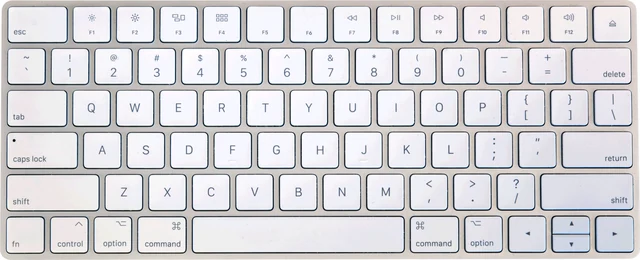 Ghosting testHow many keys register at once
 Mouse testCheck every button, side buttons and the scroll wheel
 Controller testButtons, sticks, triggers and vibration for any gamepad
 Mic testLevel, clipping, noise floor and a playback check
 Webcam testResolution, real frame rate and a snapshot
 Dead pixel testFull screen colours to spot dead and stuck pixels