How to run the ghosting test
Click the keyboard picture, then press and hold keys one at a time without letting go. Each key you hold turns black and the counter goes up. When a new key stays dark while the others are held, you have reached your keyboard's limit for that combination.
Then test the keys you actually play with. Click a game combo, hold all of its keys together and wait for Pass. If you get Blocked, the page names the key that dropped out. Try the combo two or three times, because pressing keys in a different order can give a different result on some keyboards. On AZERTY keyboards the WASD combos use the same physical keys, which are printed Z, Q, S and D.
Ghosting, blocking and rollover
Keys inside a keyboard are wired in a grid of rows and columns. The keyboard finds a key by seeing which row and column connect. When three keys at the corners of a rectangle are held, current can flow through them and make the fourth corner look pressed too. That fake key is a ghost.
To avoid ghosts, most keyboards refuse to report a combination they cannot read for sure. That is blocking, and it is what "anti-ghosting" usually means in practice: the keyboard drops a key rather than invent one. Gaming keyboards put a diode on every switch so each key can be read on its own, which removes both ghosting and blocking.
Rollover is the number of keys that register together. 2KRO means two keys, 6KRO means six, and NKRO means all of them. Membrane keyboards and many laptops have no fixed number: some combinations of five keys work while some combinations of three are blocked, depending on how the grid is wired. That is why the game combos matter more than the single counter.
Why many keyboards stop at 6 keys
The standard USB keyboard report, called the boot protocol, has six slots for normal keys and one byte for the eight modifier keys. So a 6KRO keyboard can still register both Shifts, both Ctrls, both Alts and both Windows keys on top of six normal keys. This page counts normal keys separately for that reason.
Things that can force six keys even on an NKRO keyboard:
- An NKRO setting that is switched off. Check the keyboard's software, or its manual for a key combination.
- Bluetooth. Many Bluetooth keyboards send the basic six-key report. A 2.4 GHz gaming receiver usually keeps full rollover.
- KVM switches, docks and some USB hubs that only pass the basic report. Plug straight into the computer to compare.
Windows, macOS and Linux all accept NKRO keyboards. The limit you see here comes from the keyboard and its connection, not from your browser.
Results that look wrong
- On a Mac, keys drop out while Command is held. macOS does not send key releases while Command is down, so this page releases them all when you let go of Command. Leave Command out of combos.
- The Windows key or Alt+Tab ends the test. The system takes them. The page clears held keys when it loses focus, so press them again.
- Shift drops out with numpad keys. With Num Lock on, Windows briefly lifts Shift when you press numpad 1 to 9. That is a Windows quirk, not ghosting.
What is good enough
For most games, passing the WASD combos is all you need. If a combo you use is blocked, bind that action to a key that works with your movement keys, or switch on NKRO if your keyboard has it. To check that every single key works, use the keyboard test.
Questions
What is keyboard ghosting?
Ghosting is when you press a few keys together and the keyboard reports a key you did not press. It happens on cheap keyboards whose key grid has no diodes. Most keyboards today block the extra key instead, so the usual symptom is a key that does not register, not a phantom one.
How do I test my keyboard for ghosting?
Hold down a group of keys on this page and watch the counter. Every key you hold should light up. Pick one of the game combos and hold all of its keys: it passes if they all light together. If a key stays dark while the others are held, that combination is blocked.
What is the difference between ghosting and key blocking?
Ghosting adds a key you did not press. Blocking drops a key you did press, because the keyboard refuses to report a combination it cannot read reliably. Blocking is what "anti-ghosting" keyboards do on purpose.
What do NKRO and 6KRO mean?
Key rollover is how many keys a keyboard can report at once. 6KRO means six normal keys plus the modifier keys (Shift, Ctrl, Alt and Windows). NKRO, n-key rollover, means every key can be held at the same time and each one still registers.
Why does my keyboard stop at 6 keys?
The basic USB keyboard report has room for six normal keys plus a byte for the eight modifiers. Many keyboards use it so they work in the BIOS and with every computer. Gaming keyboards often have an NKRO mode you can switch on in their software or with a key combination from the manual.
Does a Bluetooth keyboard have less rollover?
Often, yes. Many Bluetooth keyboards send the same six-key report as basic USB. A wireless gaming keyboard on its own 2.4 GHz receiver usually keeps its full rollover.
Is anti-ghosting the same as NKRO?
No. Anti-ghosting only means the keyboard will not invent keys; it may still block combinations. Boxes often say "anti-ghosting on 26 keys", which means those keys work together and others might not. NKRO means all keys work together.
How many keys do I need for gaming?
Most games use four to six keys at once: movement, a modifier such as Shift or Ctrl, Space, and one action key. A keyboard that passes the WASD combos above is fine for most players. Rhythm games and two players sharing one keyboard need more.
Can I fix ghosting on my keyboard?
Not on the keyboard itself, because the limit is in its circuit. You can rebind game actions to keys that work together, switch the keyboard to NKRO mode if it has one, or plug it straight into the computer instead of a hub or KVM switch.
More tests
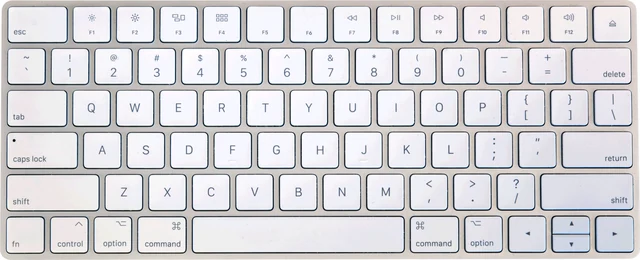 Keyboard testPress every key, with ISO, AZERTY and QWERTZ layouts
 Mouse testCheck every button, side buttons and the scroll wheel
 Controller testButtons, sticks, triggers and vibration for any gamepad
 Mic testLevel, clipping, noise floor and a playback check
 Webcam testResolution, real frame rate and a snapshot
 Dead pixel testFull screen colours to spot dead and stuck pixels