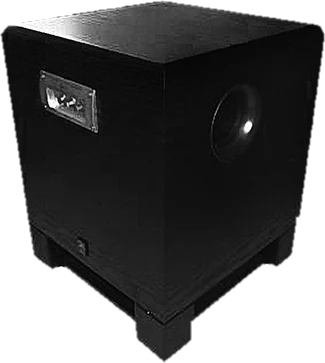
This bass test plays low tones from 10 to 200 Hz so you can hear, and feel, how deep your speakers, headphones, car audio or subwoofer really go. Press Start for a bass sweep and tap the moment the bass appears: the tool tells you roughly where your system starts to play. The steady tones check single low frequencies, the crossover check hears whether a subwoofer and the main speakers hand over smoothly, and the rattle finder holds a tone while you hunt for a buzzing panel or a loose screw. It works as a subwoofer test, a deep bass tester and a speaker rattle test in one page, with nothing to install. One honest note first: phone and laptop speakers cannot play deep bass, so on them most of this test will be quiet or silent. That is the speaker, not the page.
How does the bass test work?
The page makes pure sine tones in your browser with the Web Audio API and sends them to your speakers. A sine tone has a single frequency, so when you hear it, your system is playing that frequency, not an overtone of it. The sweep rises on a log scale, which spends the same time on every octave: 10 to 20 Hz, 20 to 40, 40 to 80 and so on. The moment you tap "I hear it now" is roughly where your system's bass starts.
Bass is hard for speakers because of how sound works. To make the same sound pressure, a speaker cone has to move four times as far for every halving of the frequency. A cone that moves 1 mm at 100 Hz would need 4 mm at 50 Hz and 16 mm at 25 Hz. Small cones run out of travel, which is why deep bass needs big woofers or a subwoofer.
| Tone | 20 Hz | 30 Hz | 40 Hz | 60 Hz | 80 Hz | 100 Hz | 200 Hz |
|---|---|---|---|---|---|---|---|
| Cone travel vs 100 Hz | 25x | 11x | 6.3x | 2.8x | 1.6x | 1.0x | 0.25x |
Our ears make it harder still. We are far less sensitive to low frequencies, so a deep tone has to be much louder before we hear it at all. The chart shows the threshold of hearing from the international standard for equal loudness (ISO 226:2003): a 20 Hz tone has to reach about 78.5 dB just to be heard, against 26.5 dB at 100 Hz and 2.4 dB at 1 kHz.
Worked example: a bookshelf speaker
You run the sweep on a pair of bookshelf speakers. The tone starts at 10 Hz and you hear nothing for a while; at about 24 seconds you tap "I hear it now". The sweep was at 60 Hz at that moment, so the result reads: your speakers start to play at about 60 Hz, typical of bookshelf speakers. Near the end a picture frame buzzes and you tap "Rattle here" at about 150 Hz. The fix is a felt pad behind the frame, and the next step for deeper bass is a subwoofer.
| Bass starts at | Usually |
|---|---|
| Below 25 Hz | A capable subwoofer, or closed headphones with a good seal |
| 25 to 40 Hz | A subwoofer, large floor standing speakers or good headphones |
| 40 to 80 Hz | Bookshelf speakers, soundbars and most headphones |
| 80 to 150 Hz | Small speakers, TVs, and earbuds without a good seal |
| Above 150 Hz | Phone and laptop speakers |
A rough guide, labelled as an estimate in the tool: the room, the volume and your hearing all move the point where bass becomes audible.
How to test bass and a subwoofer: step by step
Step 1: Turn the volume down
Set your system volume to about a quarter and the subwoofer or amplifier to its normal level. The test starts quiet and never plays louder than half of full scale.
Step 2: Run the bass sweep
Press Start. The tone rises from 10 to 200 Hz in 40 seconds. Tap "I hear it now" as soon as you hear or feel it, and "Rattle here" when anything buzzes.
Step 3: Read where your bass starts
The result tells you roughly where your speakers start to play and what kind of speaker usually stops there.
Step 4: Check the crossover
With a subwoofer, run the crossover check. Each step from 40 to 160 Hz should be about as loud as the last; mark any step that jumps up or drops away.
Step 5: Find rattles
Use the rattle glide and press Hold when something buzzes. The tone stays on so you can find the loose screw, panel or object.
Subwoofer test
For a subwoofer, make sure it is switched on and connected, and that your system sends bass to it: on an AV receiver, set the speakers to "small" and the subwoofer to "on" or "yes"; on a PC, set the output to 2.1 or 5.1 if your sound card has a subwoofer output. Then run the sweep. A healthy subwoofer joins in clearly somewhere around 20 to 40 Hz. If the bass stops sounding any deeper below 60 to 80 Hz, check that the subwoofer is getting a signal: its power light, its own volume knob and its low-pass setting. Many subwoofers also have a phase switch (0 or 180 degrees): play the 80 Hz steady tone from your listening seat while someone flips it, and keep the setting that sounds louder.
Subwoofer crossover check
The crossover is where bass hands over from the main speakers to the subwoofer. If it is set too low, or the subwoofer is out of phase, there is a hole in the bass; if it is set too high, the bass gets boomy and the subwoofer becomes easy to locate. The crossover check steps through 40, 50, 60, 70, 80, 90, 100, 110, 120, 140, 160 Hz, 2.5 seconds each (27.5 s in all). Every step should sound about as loud as the one before. Mark any step that clearly jumps up or drops away.
- A dip around the crossover: try the subwoofer's phase switch, move the subwoofer, or raise the crossover by 10 to 20 Hz.
- A bump around the crossover: the speakers and subwoofer overlap; lower the subwoofer's level or the crossover.
- One very loud step anywhere, often between 40 and 80 Hz: that is usually a room resonance (a room mode). Moving the subwoofer even half a metre changes it.
80 Hz is the common starting point; the Wikipedia article on subwoofers notes it is the crossover THX recommends. Small satellite speakers often need 100 to 120 Hz.
Deep bass tester: 10 Hz, 20 Hz and 30 Hz
Below 20 Hz is infrasound. Very few speakers play it, and you feel pressure or a flutter in the room more than you hear a note. Many subwoofers and amplifiers filter it out on purpose. 20 to 30 Hz is the bottom of music and film sound effects: the lowest piano key is 27.5 Hz and a pipe organ's 32 foot stop reaches about 16 Hz. If your system reaches 25 to 30 Hz cleanly at a normal volume, it plays almost everything in music. Keep the volume low for these tones: they ask the most of a speaker.
| Lowest note of | Note | Frequency |
|---|---|---|
| Pipe organ, 32 foot stop | C0 | 16.4 Hz |
| Piano, lowest key | A0 | 27.5 Hz |
| 5-string bass guitar | B0 | 30.9 Hz |
| Contrabassoon | B flat 0 | 29.1 Hz |
| 4-string bass guitar and double bass | E1 | 41.2 Hz |
| Drop D on a bass guitar | D1 | 36.7 Hz |
| Cello, lowest string | C2 | 65.4 Hz |
| Guitar, lowest string | E2 | 82.4 Hz |
Equal temperament with A4 = 440 Hz. A kick drum has no single note; most of its punch sits between about 50 and 100 Hz.
Can my phone or laptop play bass?
Not deep bass. Phone and laptop speakers are a few millimetres to a couple of centimetres across, and as the cone travel table above shows, they would need to move many times further to play 50 Hz as loudly as 200 Hz. Most stop somewhere around 150 to 200 Hz. Some laptops and phones use processing that adds harmonics so your brain hears a bass note that is not really there; the sweep will still show where the real bass ends. For a phone bass test that means anything, plug in headphones or a Bluetooth speaker.
Headphone bass test
Closed headphones and in-ear earbuds can play very deep bass, because they only have to pressurise the small space in your ear canal, but only with a good seal. If the sweep shows weak bass on earbuds, try a bigger ear tip and push them in firmly; on over-ear headphones, glasses frames and hair break the seal. Open-back headphones play less deep bass by design. For left, right and polarity checks on headphones, use our headphone test.
Car subwoofer test
In a car, run the sweep from your phone or laptop over Bluetooth or the aux input, with the engine off and the car's equaliser flat. Car cabins boost the lowest bass (cabin gain), so a car subwoofer often reaches lower than the same subwoofer would at home. Then use the rattle finder: car rattles usually come from the licence plate, the boot or trunk lid, the rear parcel shelf, door panels and anything loose in the boot.
Speaker rattle test
A rattle is something vibrating at one frequency: a loose screw, a panel, a cable touching the cone, or an object on a shelf. The rattle finder glides slowly between 25 and 100 Hz. When you hear a buzz, press Hold: the tone stays at that frequency so you can walk around and press gently on things until it stops. If the buzz comes from inside the speaker at every volume, the cone, surround or voice coil may be damaged. A buzz that only starts at high volume is often the speaker running out of travel; turn it down.
Is a bass test safe for speakers?
At a moderate volume, yes. The danger is high volume at very low frequencies, below what the speaker is built for: the cone runs out of travel and knocks, which can damage the voice coil. Ported speakers are most at risk below their port tuning, where the cone is barely held back by the air in the box. The page starts at 20% (-34 dBFS), caps the volume at -6 dBFS, fades each tone in over half a second and stops steady tones after 30 seconds. Stop at once if you hear knocking, clicking or harsh distortion, and protect your hearing too: loud bass is still loud.
Why we built this bass test
Most bass test pages are a YouTube video or an MP3. Video and music compression often cut or alter the deepest bass, there is no way to stop at a frequency, and nobody tells you what it means when you hear nothing at 30 Hz on a laptop. We wanted a bass test that plays clean tones, lets you mark where the bass starts and where things rattle, and is honest that small speakers cannot do this.
Nitin Raja, who builds this site, tested a lot of these pages before building this one, and kept what people need: a sweep with one tap to mark the start of the bass, a crossover check for subwoofers, a rattle finder with Hold, and plain answers.
What this bass test plays and measures
- Bass sweep: a sine from 10 Hz to 200 Hz on a log scale over 40 seconds. "I hear it now" and "Rattle here" record the frequency at the moment you tap.
- Steady tones: 10, 15, 20, 25, 30, 35, 40, 50, 60, 70, 80, 100, 120, 150, 200 Hz, each up to 30 seconds.
- Crossover check: 11 steps from 40 to 160 Hz, 2.5 s each, with a short dip between steps.
- Rattle finder: a glide 25 to 100 Hz and back every 30 seconds for 60 seconds; Hold freezes the frequency.
- Levels: every tone at 90% before the volume slider, which runs from 0 to 100% and is capped at -6 dBFS; each tone fades in over 0.5 s.
- The result is the first "I hear it now" mark and a rough guide by band. It is an estimate: your room, the volume and your hearing move it.
It does not use the microphone, so it cannot measure your speaker's frequency response in dB; you judge the sound by ear. Sources were last checked October 25, 2026.
Why this bass test is different
- Clean generated tones, not a compressed video or MP3 that may have lost the deepest bass.
- One tap marks where your bass starts, with a plain guide to what that means.
- Crossover check and rattle finder with Hold, the two things subwoofer owners actually need.
- Honest about small speakers: phones and laptops cannot play deep bass, and the page says so.
- Safe by default: nothing plays on load, the volume starts quiet with a cap, and steady tones stop by themselves.
| This bass test | Typical bass test video or page | |
|---|---|---|
| Signal | Pure sine generated live | Compressed video or MP3 |
| Mark where bass starts | Yes, with a rough guide | Watch the on-screen number |
| Crossover check | Yes, 40 to 160 Hz steps | Rarely |
| Rattle finder | Glide with Hold | Rarely |
| Volume | Starts at 20%, capped at -6 dBFS | Whatever the file plays at |
| Small speaker limits | Explained | Rarely mentioned |
How accurate is an online bass test?
- The tones are exact: the frequency on screen is the frequency the browser plays.
- Where you first hear the bass depends on the volume. Turn it up and the mark moves lower, because the threshold of hearing at low frequencies is so high. Compare systems at the same volume.
- The room changes bass a lot: room modes make some frequencies boom and others vanish depending on where you sit. Try two listening positions.
- Bass enhancers and equalisers (bass boost, loudness, virtual bass) change the result. Turn them off for testing.
- Bluetooth speakers and some sound settings may filter out the deepest tones on purpose.
Sources
Checked on October 25, 2026:
Bass test FAQ
How do I test my bass or subwoofer?
Set the volume low, press Start for the bass sweep and tap "I hear it now" as soon as you hear or feel the tone. The result shows roughly how low your system plays. Then use the steady tones to check single frequencies, the crossover check to hear whether the subwoofer and speakers hand over smoothly, and the rattle glide to find buzzing parts.
Why can my phone or laptop not play the bass test?
Small speakers have tiny cones that cannot move enough air at low frequencies. Phone and laptop speakers usually play little or nothing below about 150 to 200 Hz, so the low tones are silent or only heard as a buzz. That is normal and not a fault. Use headphones with a good seal, or a subwoofer.
What is a good bass test frequency?
Use a sweep to hear the whole range, then single tones: 30 to 40 Hz for deep subwoofer bass, 50 to 60 Hz for the punch of a kick drum, and 80 Hz for the usual crossover point between a subwoofer and the main speakers.
What frequency should I set my subwoofer crossover to?
Start at 80 Hz, the common default in AV receivers and the THX recommendation. Use a higher setting (100 to 120 Hz) with small satellite speakers that cannot play 80 Hz well, and a lower one only with large speakers. Then run the crossover check and adjust until the steps sound even.
Can a bass test damage my speakers?
At a moderate volume, no. Very low tones at high volume can push a woofer past its travel, which you hear as knocking, clicking or harsh distortion: stop at once if that happens. Keep the volume low for tones under 30 Hz, especially on small or ported speakers.
Why do I feel the bass more than I hear it?
Below about 30 Hz the ear is very insensitive, so a tone has to be loud to be heard, and much of what reaches you is pressure and vibration felt in your body and the room. The chart on this page shows how much louder a 20 Hz tone has to be than a 100 Hz tone just to be heard.
How do I find what is rattling in my car or room?
Use the rattle glide and press Hold when the buzz starts. The tone keeps playing at that frequency, so you can press gently on panels, shelves, frames and loose objects until the rattle stops. In a car, check the licence plate, the boot lid, the rear parcel shelf and door panels first.
Related tools
 Sound testSpeaker and headphone test: left, right, sweep and bass
 Headphone testLeft and right, stereo or mono, polarity and a quick headphone check
 Tone generatorAny frequency from 1 Hz to 22 kHz: sine, square, sweep and beats
 Water ejectSpeaker cleaner sound: 165 Hz pulses push water out of a phone speaker
 Hearing frequency testThe highest and lowest tones you can hear (not a medical test)
 Decibel meterSound level in dB from your microphone