How the hearing frequency test works
The page makes pure sine tones in your browser and plays them one after another. In the high frequency test, the tones step up from 8 kHz to 20 kHz, with smaller steps near the top where most adults lose them. In the low frequency test, they step down from 200 Hz to 20 Hz. Each tone fades in over a third of a second, holds for about two seconds, then fades out. As soon as a tone is gone, press "I can't hear it". Your result is the last tone you heard. The smooth sweep does the same with a gliding tone, which is quicker but less exact, because your reaction time carries the tone a little further before you press.
Every result is labelled Check, because your own ears are the instrument. A browser can produce an exact frequency, but it cannot know how loud it is at your eardrum, so this is not a measurement of hearing level.
Before you start: volume and headphones
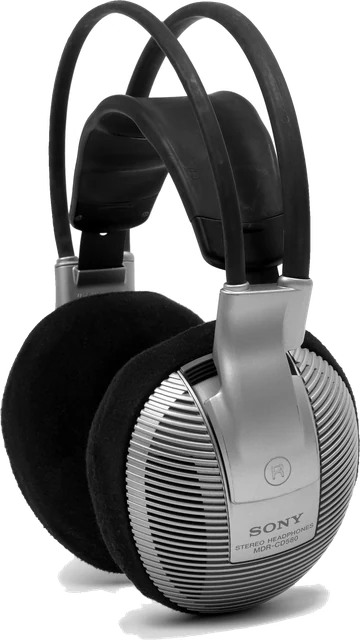
Wired headphones give the most honest result. They reach the top and bottom of the range far better than laptop speakers, they keep room noise out, and they let you test each ear. Turn the system volume down first, play the 1 kHz tone, and set a level that is clearly audible but quiet. Then start the test and do not touch the volume again: raising it to chase a fading tone gives a false result and risks your ears. Test in a quiet room and run each test twice, since the second run is usually steadier.
High frequency hearing test and your hearing age
The highest tone you can hear drops steadily with age. The cause is presbycusis, age related hearing loss: the hair cells at the base of the cochlea, which pick up the highest frequencies, are the first to wear out. Loud music, concerts, power tools and work noise speed this up. That is why a high frequency hearing test is often sold as a hearing age test. The table above compares your result with rough averages, labelled Estimated, because people of the same age can differ by several kHz and the headphones change the result too.
Losing the top few kHz has little effect on speech, which sits mostly between 250 Hz and 8 kHz. If you hear up to 12 kHz, you hear speech and music fine. If you struggle with conversations in noisy places, the cause is usually loss in the speech range, which only a proper hearing test can show.
The mosquito tone
The mosquito tone is a high pitched sound near 17.4 kHz. Most teenagers can hear it and most adults over about 25 cannot, so it became a ringtone that teachers would miss, and is used in devices that discourage teenagers from loitering. Play it with the 17.4 kHz button in the tone generator. If you cannot hear it on a laptop or phone speaker, try wired headphones, since many small speakers cannot play it at all.
Low frequency test
Low tones are harder to judge. The ear is much less sensitive to deep bass, so a 30 Hz tone needs far more energy than a 1 kHz tone to sound equally loud, and below about 30 Hz you feel pressure more than you hear a pitch. Most people with healthy hearing can sense tones down to about 20 Hz with suitable headphones or a subwoofer. Laptop and phone speakers stop at about 100 to 150 Hz, and small speakers can buzz, producing overtones that make a deep tone seem audible when it is really the distortion you hear.
Why your device limits the result
- Speakers and earbuds. Laptop and phone speakers and many earbuds roll off above about 16 to 18 kHz and below about 60 Hz. The result cannot be higher than what the device plays.
- Bluetooth. Some Bluetooth codecs cut everything above about 16 kHz to save bandwidth. Wired headphones avoid this.
- Sample rate. Web audio runs at 44.1 or 48 kHz. A digital system can only make tones below half its sample rate, about 22 or 24 kHz, and the top of that range is filtered, so this test stops at 20 kHz. The line under your result shows your browser's rate.
- Volume. Too quiet and you miss tones you could hear; too loud and you may hear distortion or a click instead of the tone itself.
Testing each ear separately
Choose Left ear only or Right ear only and run the test once for each side, with headphones on the right way round. Small differences between ears are common. A clear difference, such as one ear stopping 2 kHz or more below the other, is worth mentioning to an audiologist, especially if it is new. If you suspect the headphones, swap them around and run it again: if the weak side follows the headphones, the headphones are at fault. Our sound test checks left and right channels and the frequency range of the headphones themselves.
Not a medical hearing test
This is a listening check for curiosity and for checking your gear. A real hearing test is an audiogram, done by an audiologist in a quiet booth with calibrated equipment, and it measures how quietly you can hear each frequency, not just the highest one. See an audiologist if you often ask people to repeat themselves, have ringing in your ears, or hear worse in one ear. A sudden drop in hearing, especially in one ear, needs a doctor urgently, ideally the same day.
Questions
What frequency should I be able to hear at my age?
Roughly: teenagers often hear up to 19 or 20 kHz, people under 25 about 17 kHz, under 30 about 16 kHz, under 40 about 15 kHz, under 50 about 12 kHz, and many people over 60 stop below 10 kHz. These are rough averages with big differences between people, and noise exposure moves them down earlier.
How do I do a high frequency hearing test online?
Wear wired headphones, turn the system volume down, choose High tones above and press Start test. Raise the volume slider only until the first 8 kHz tone is soft but clear, then leave it. The tones step up to 20 kHz. Press "I can't hear it" as soon as a tone is gone; the highest tone you heard is your result.
What is the mosquito tone and can adults hear it?
The mosquito tone is a high pitched sound around 17.4 kHz. Most teenagers and young adults can hear it, and most people over about 25 cannot, which is why it has been used as a ringtone adults miss and in devices that keep teenagers away from shop fronts. Press the 17.4 kHz button in the tone generator to try it.
Can an online hearing test tell my hearing age?
Only roughly. The highest tone you hear is compared with typical results for each age group, so the page can say your result is typical for people under about 30, for example. It is an estimate: your headphones, the volume and the room all change the result, and many people hear better or worse than the average for their age.
Why can't I hear anything above 16 kHz?
It may be your ears, but often it is the device. Laptop and phone speakers, and many earbuds, roll off steeply above about 16 to 18 kHz, and some Bluetooth codecs cut everything above about 16 kHz. Try wired headphones before drawing conclusions. If 16 kHz is still silent at a comfortable volume, that is normal from about age 30.
Is this a real hearing test?
No. It is a listening check, not a medical test. A real hearing test (an audiogram) is done by an audiologist in a quiet booth with calibrated headphones, and measures how quietly you can hear each frequency, mostly between 250 Hz and 8 kHz where speech is. If you have trouble following conversations, ringing in your ears, or hearing that changed suddenly, see an audiologist or doctor.
What is the lowest frequency humans can hear?
About 20 Hz, but low tones need a lot of sound energy to be heard, and below about 30 Hz most people feel pressure more than they hear a pitch. Laptop and phone speakers cannot play below about 100 Hz, and small earbuds only reach deep bass with a tight seal, so the device usually limits a low frequency test.
Can high frequency tones damage my hearing or speakers?
Not at a comfortable volume. The risk is turning the volume up to hear a tone you have lost, so the page starts quiet, fades every tone in, and caps the level. Never raise the volume to chase a tone. Small speakers and tweeters can also be damaged by loud high tones, so keep the level moderate.
More tests
 Mic testLevel, clipping, noise floor and a playback check
 Sound testSpeaker and headphone test: left, right, sweep and bass
 Headphone testLeft and right, stereo or mono, polarity and a quick headphone check
 Bass testSubwoofer test: a 10 to 200 Hz sweep, crossover check and rattle finder
 Water ejectSpeaker cleaner sound: 165 Hz pulses push water out of a phone speaker
 Tone generatorAny frequency from 1 Hz to 22 kHz: sine, square, sweep and beats