What a pink screen is good for
Pink on a screen is mostly red with some blue and green mixed in. Light pinks give a soft, warm light that suits faces; hot pink and magenta give a strong colour cast that turns a room into a party. The colour fills the screen straight from the browser, so you do not need a pink screen YouTube video with controls popping up over it.
A soft fill light for selfies and calls
A Light pink or Pastel pink screen facing you adds a gentle warm glow and softens shadows under the eyes. Put the screen just above eye level and in front of you, at full brightness, and take the photo with the rear camera of another phone or with your webcam. It is subtle, so use it in a dim room or alongside normal light. If you want neutral light that does not tint your skin, the ring light page lets you set the colour temperature in kelvin.
Mood and party light
Hot pink and Magenta are strong. One screen gives a pink glow on a wall; three or four old phones and tablets turn a corner of a room into a party light. Point the screens at a wall or ceiling so the light bounces and spreads. For a birthday, a Valentine's dinner or a photo backdrop, set Turn off after so the screens do not stay on all night.
A backdrop for photos and videos
A tablet or monitor showing pastel pink makes a clean, even background for small product photos, nails, jewellery or a figure. Keep the subject a little in front of the screen and focus on the subject, so the screen texture blurs away.
A quick display check
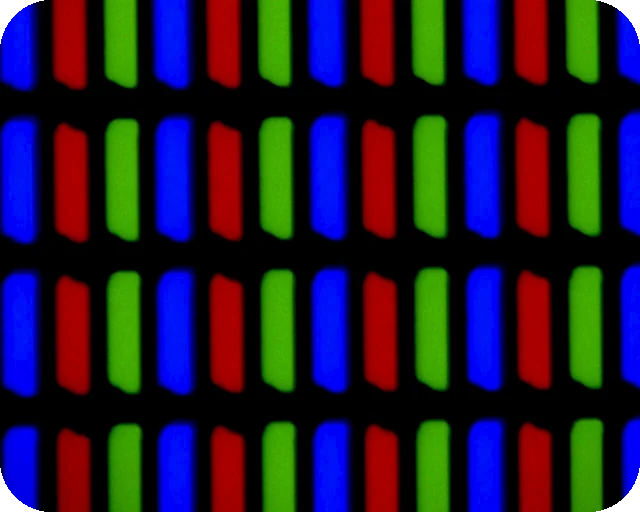
Magenta lights the red and blue subpixels with green off. A green subpixel that is stuck on shows as a white or light green dot on it. For a complete check, use the dead pixel test.
Brightness tips
- This page cannot change your screen's brightness. Use the brightness keys, Windows Settings, macOS Control Center or your phone's slider.
- For selfie light use full brightness; for a mood light, lower it so the colour looks rich instead of washed out.
- Night Light and True Tone shift pink towards orange or purple; turn them off for the true shade.
- While the pink shows full screen, the page asks the browser to keep the screen awake. The timer ends it.
Download a pink image or video
The Download panel turns the shade you picked into a file. Download PNG saves a solid pink image at Full HD, QHD, 4K, a phone size or any custom size up to 7680 pixels per side, which works as a wallpaper, a slide background or a backdrop in a video edit. Make video records a pink screen video of 10, 30 or 60 seconds at 1920 x 1080 and 30 fps. The video is WebM, which plays in Chrome, Edge, Firefox and VLC but may not play on every phone or TV. Both are made in your browser.
Other colours
Pair pink with the purple screen for party light, or try orange for a warm glow. For display tests use the white screen, the black screen and the red, green and blue screens. Any exact shade is one click away on the colour screen.
Questions
Can I use a pink screen as a selfie light?
Yes. A light pink screen facing you adds a soft, warm glow that many people find flattering. Hold the phone or tablet a little above eye level, at full brightness, and take the photo with another device or the rear camera.
How do I use a pink screen as party light?
Open the page on a few phones, tablets or a TV, choose Hot pink or Magenta, and put the screens facing a wall or the ceiling so the light bounces. Bounced light looks softer and fills more of the room.
Can a pink screen test my monitor?
Magenta is a useful test colour. It lights red and blue and leaves green off, so a green subpixel stuck on shows up as a white or light green dot.
Why does the pink look purple on my screen?
Panels differ, and cool colour settings push pink towards purple. Turn off Night Light or True Tone if you want the shade as it is, and check the monitor colour temperature.
Can I set the pink screen to turn off?
Yes. Pick a time under "Turn off after" before you go full screen, and the page leaves full screen after that many minutes.
Does it work on a phone?
Yes. On iPhone the colour fills the browser window instead of going full screen. Tap the screen to show the Exit button.
Can I download a pink screen image or video?
Yes. Pick a shade, then use the Download panel under the screen. Download PNG saves a solid pink image at 1920 x 1080, 4K, a phone size or a custom size, for example as a wallpaper. Make video records a 10, 30 or 60 second pink screen video in WebM format. Both are made in your browser and nothing is uploaded.
More tests
 Dead pixel testFull screen colours to spot dead and stuck pixels
 Black screenA full black screen, one clickWhite screenA full white screen, one click
 Refresh rate testYour monitor Hz, measured in the browser
 What is my screen resolutionScreen resolution, browser window size and pixel ratioMonitor size calculatorScreen size in inches, PPI and aspect ratio