What a yellow screen is good for
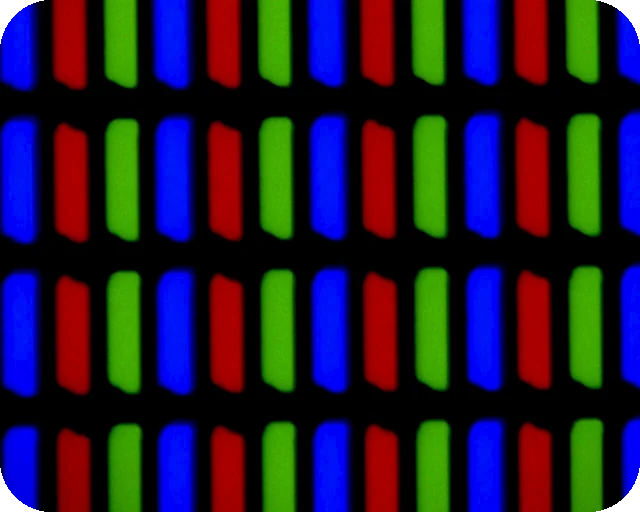
Yellow on a screen is a mix: the red and green subpixels shine at full strength and the blue ones stay off. That gives a bright, warm light with no blue in it, and a useful test pattern for the blue channel.
A warm reading light
A white screen at night is mostly blue and green light. A yellow screen drops the blue entirely, so it feels softer and is less likely to keep you awake. Pick Warm yellow or Pale yellow, lower the brightness until it lights the page without glare, and stand the screen to the side so it does not shine in your eyes. Set Turn off after to 15 or 30 minutes if you might fall asleep. It works well for a few pages in bed, a book light on a tablet, or a soft fill light for a video call in the evening.
Be realistic about strength. A laptop screen gives roughly as much light as a small desk lamp at best, and less when it is dimmed. For long reading sessions a warm white bulb is still better.
Test the display
Yellow is a good extra test after red, green and blue. Any blue subpixel that is stuck on shows up as a white or pale blue dot. A dead red subpixel leaves a green dot, a dead green one leaves a red dot. Yellow also shows a green or pink tint in parts of the panel clearly. For a full check, run the dead pixel test.
Mood, photos and signals
Amber and yellow make a cosy background for a stream or a photo, a sunny look for a short video, or a warning colour for a prop. Amber sits between yellow and orange and is the closest to a sodium street light.
Brightness tips
- This page cannot change your screen's brightness. Use the brightness keys, Windows Settings, macOS Control Center or the phone's slider.
- For reading, lower is better: just bright enough to see the page.
- Night Light and Night Shift make yellow look orange. That is fine for a reading light, but turn them off for a display test.
- While the yellow shows full screen, the page asks the browser to keep the screen awake. The timer ends it so your device can sleep again.
Download a yellow image or video
The Download panel turns the shade you picked into a file. Download PNG saves a solid yellow image at Full HD, QHD, 4K, a phone size or any custom size up to 7680 pixels per side, which works as a wallpaper, a slide background or a backdrop in a video edit. Make video records a yellow screen video of 10, 30 or 60 seconds at 1920 x 1080 and 30 fps. The video is WebM, which plays in Chrome, Edge, Firefox and VLC but may not play on every phone or TV. Both are made in your browser.
Other colours
For an even warmer light try the orange screen; for night vision, the dim red screen. For video call light, the ring light lets you set the warmth in kelvin. You can also use the white screen, the black screen or pick any shade on the colour screen.
Questions
Is a yellow screen good for reading at night?
It is easier on the eyes than a white screen at night because it contains no blue light. Use Warm yellow or Pale yellow at a low brightness. A real lamp is still brighter and more even if you read for a long time.
Can a yellow screen test my monitor?
Yes. Yellow lights the red and green subpixels and leaves blue off. A dot of white or light blue means a blue subpixel is stuck on. A green dot means red is dead there, a red dot means green is dead.
Why does the yellow look green or orange?
Some panels lean green on yellow, and Night Light or True Tone push it towards orange. Turn those modes off. If one area looks greener than the rest, that is a uniformity issue in the panel.
Does yellow light help with headaches or dyslexia?
Some people find coloured backgrounds more comfortable to read on, but the evidence for coloured overlays is mixed. If a tint helps you, use it; for a proper assessment talk to an optometrist.
Can I make the yellow screen turn off by itself?
Yes. Pick a time under "Turn off after" before you go full screen, and the page leaves full screen after that many minutes.
Does it work on a phone?
Yes. On iPhone the colour fills the browser window instead of going full screen. Turn the phone sideways and tap to show the Exit button.
Can I download a yellow screen image or video?
Yes. Pick a shade, then use the Download panel under the screen. Download PNG saves a solid yellow image at 1920 x 1080, 4K, a phone size or a custom size, for example as a wallpaper. Make video records a 10, 30 or 60 second yellow screen video in WebM format. Both are made in your browser and nothing is uploaded.
More tests
 Dead pixel testFull screen colours to spot dead and stuck pixels
 Black screenA full black screen, one clickWhite screenA full white screen, one click
 Refresh rate testYour monitor Hz, measured in the browser
 What is my screen resolutionScreen resolution, browser window size and pixel ratioMonitor size calculatorScreen size in inches, PPI and aspect ratio