How the typing test works
Pick a mode, then type the words in the box. Nothing counts until your first key, which starts the timer. In time mode you type for 15, 30, 60 or 120 seconds and the words keep coming. In words mode you type a fixed number of words and the test ends on the last one. Press Space to move to the next word. If a word has a mistake you can press Backspace to go back into it; correct words are locked, which is how most typing tests work.
The words come from a list of about 1,000 common English words, with the most common ones a little more likely, so the text reads like plain English rather than a spelling bee. Turn on Punctuation for capital letters, commas, full stops and quotes, and Numbers for digits. Both make the test slower and closer to real writing. Each combination keeps its own best score, so a punctuation run never competes with a plain one.
Paragraph typing test or random words?
Many sites give you a typing test paragraph: one fixed passage to copy. Here the text is drawn from common words instead, so you can never learn it by heart and every run measures your real speed. Turn on Punctuation and the words run as sentences with capital letters, commas and full stops, which types much like a paragraph from a book or an email. Employers' copy tests are usually closer to this mode than to plain lowercase words, so practise with it before a job test.
Prefer to type in another language? Open the language menu at the top of the page for typing tests in German, Spanish, French, Indonesian, Italian, Polish, Portuguese, Russian, Thai and Turkish, each with its own list of common words.
How your result is calculated
Typing tests count a word as 5 characters, spaces included, so long and short words are treated fairly. Net WPM is the characters of the words you typed correctly, plus their spaces, divided by 5, per minute. A word with one wrong letter adds nothing. Raw WPM counts every character you left in the text, right or wrong, so the gap between raw and net shows what your mistakes cost you.
Accuracy is the share of keystrokes that were right when you pressed them. Mistakes you fixed still count, because they still cost you time. Consistency compares your speed second by second: higher means a steadier rhythm. The character line splits your typing into correct, wrong, extra (letters past the end of a word) and missed (letters you skipped by pressing Space early). The missed keys list names the key you should have pressed, which is the best guide to what to practise.
Average typing speed by group
| Group | Typical speed |
|---|---|
| Two-finger or new typists | 15-30 WPM |
| Typical adult on a computer | about 40 WPM |
| Volunteers in a large online study (2018) | about 52 WPM |
| Typing on a phone (2019 study) | about 36 WPM |
| Office and data entry job requirements | 40-60 WPM |
| Professional transcribers | 70-90+ WPM |
| Competitive typists, short tests | 120-200 WPM |
The study figures come from Aalto University researchers, who logged about 168,000 people copying sentences on a typing site, and a later study of about 37,000 phone typists. People who choose to take a typing test are probably faster than average, so treat these as upper estimates for the general public. Scores also depend on the test: short tests and common words give higher numbers than long tests with punctuation.
Turn it into a typing test game
Each mode keeps its own best score in this browser, so every run is a round against yourself. The rank bar under your result climbs from Learning to Elite as you speed up, and a New best badge appears when you beat your record. Race a friend on the same mode and length, or try to move up one rank a month: that small, steady target is what makes a typing test game turn into real progress.
Typing tests for jobs
Office, data entry, transcription and customer service jobs often include a typing test. Most are timed copy tests of 1 to 5 minutes that report net WPM and accuracy, so the 60 and 120 second modes here are good practice. A typing test for call center roles often uses customer-style sentences, because agents type notes while they talk. Transcription jobs may use a "typing what you hear" test, where you type from an audio clip: that trains your listening as well as your fingers, and this page covers only copying from text.
How to improve your typing speed
- Fix accuracy first. Slow down until you reach about 95% accuracy, then speed up. Every error costs a Backspace and a retype, which is slower than typing carefully.
- Stop looking at the keys. It feels slower for a week or two. After that it is the single biggest gain most people ever make.
- Practise little and often. 10 to 15 minutes a day beats an hour once a week. Short 30 second tests are good for speed, longer ones for stamina.
- Drill your missed keys. The list under your result shows which letters trip you up. Practise words full of them.
- Type in a steady rhythm. If your consistency is low, aim for an even pace instead of bursts. Steady typing ends up faster.
- Warm up first. An alphabet typing test, typing abcdefghijklmnopqrstuvwxyz as fast as you can, is a fun way to get your fingers moving, but it drills one fixed order of keys. Real words, like the ones in this test, show your true speed.
- Sit well. Wrists straight and floating, forearms level, screen at eye height. Tension slows your fingers and tires them.
Touch typing basics
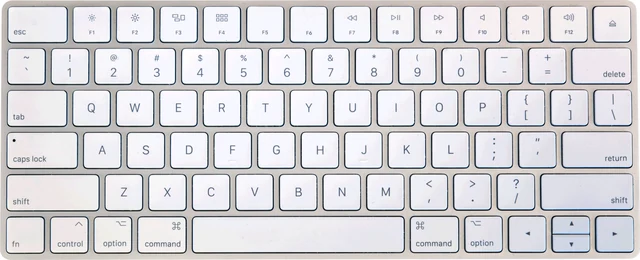
Touch typing means typing without looking, with each finger responsible for its own keys. Rest your left fingers on A, S, D and F and your right fingers on J, K, L and the semicolon. The small bumps on F and J let you find this home row by touch. Each finger reaches up and down its own column, and your thumbs handle the Space bar. Learn it slowly with a few rows at a time; most people need a few weeks before they match their old speed, then pass it.
Does your keyboard matter?
Less than you might think. A keyboard you know well beats a new expensive one, at least for the first few weeks. Very heavy switches, a cramped laptop layout or a short Space bar can slow you down a little. Mechanical keyboards feel more precise to many people but do not make you faster on their own. What does matter is a key that fails: a key that misses presses or types a letter twice shows up here as a strange error you did not make. If one letter keeps appearing in your missed list for no reason, check it with the keyboard test, and if you play games, the ghosting test shows how many keys work together. Switching to a layout such as Dvorak or Colemak can help comfort, but expect months of relearning for a small speed gain.
Want a quick break? See how fast you can hit one key with the spacebar counter, or test your mouse with the CPS test.
Questions
What is a good typing speed?
Around 40 WPM is a typical adult speed, 50 to 70 WPM is good, and 70 WPM or more is fast. Many office and data entry jobs ask for 40 to 60 WPM with high accuracy. Above 100 WPM you are faster than almost everyone you will meet.
How is WPM calculated?
One word is counted as 5 characters, including spaces. Net WPM counts only the characters of words you typed correctly, divided by 5, per minute. Raw WPM counts every character you left in, right or wrong. Characters you deleted with Backspace do not count toward either.
What is the average typing speed?
A 2018 Aalto University study of about 168,000 volunteers who copied sentences online found an average of about 52 WPM. Volunteers on a typing site are probably faster than the general public, so 40 WPM is a fair everyday figure. The same group found phone typing averages about 36 WPM.
What does accuracy measure here?
Accuracy is the share of your keystrokes that were right at the moment you pressed them. Fixing a mistake with Backspace does not undo it, so accuracy shows how often you hit the wrong key, not how clean the final text is.
What is consistency?
Consistency shows how even your speed was from second to second. 100% would mean exactly the same number of characters every second. Most people score 60 to 85%. A low score usually means bursts of fast typing broken up by pauses on hard words.
Which test length should I use?
Use 30 or 60 seconds to compare with other sites, since those are the most common. 15 seconds shows your burst speed, while 120 seconds and the 100 word mode show the pace you can actually hold when writing.
Does a mechanical keyboard make you type faster?
Not by much. Practice and touch typing matter far more than the keyboard. A keyboard you are used to, with keys that are not too heavy and a layout you know, helps a little. A key that misses presses or types twice will cost you accuracy, so test it if you see odd errors.
Can I take the typing test on my phone?
Yes. Tap the text to open your keyboard and type as usual. Turn off swipe typing for a fair result. Autocorrect is switched off for this box where the phone allows it, but some keyboards still replace words, which can count as errors.
How do I restart quickly?
Press Tab then Enter at any time, or press Esc while typing. The New test button does the same. Your settings and best scores stay saved in this browser.
What typing test do employers use?
There is no single standard. Many employers use an online assessment platform or their own timed copy test, usually 1 to 5 minutes long, that reports net WPM and accuracy. Data entry roles may add numbers, and transcription roles may test typing from audio instead of from text.
What is the passing score for a typing test?
Each employer sets its own pass mark. General office jobs often ask for about 35 to 45 WPM, data entry and admin roles for 50 to 60 WPM, and most also expect 90 to 95% accuracy or better. The job advert or the recruiter can tell you the exact figure.
What if I fail a typing test?
It is rarely final. Many employers let you retake it after a waiting period they set. Use the time to practise 10 to 15 minutes a day, put accuracy before speed, and drill the keys in your missed list until you clear the target on a 60 or 120 second test.
How do I pass a typing test for a call center job?
Ask which speed is required, since it varies by employer. Practise with Punctuation on, because call center tests often use real sentences with capitals and full stops, and keep your accuracy above 95%: errors usually cost you more than a few lost WPM. Take the test on a keyboard you know, in a quiet room.
What is key depression in a typing test?
A key depression is one keystroke. Some exams measure speed in key depressions per hour (KDPH) instead of WPM, and 8,000 KDPH works out to about 27 WPM, since a word counts as 5 keystrokes. India's SSC CGL exam uses this in its Data Entry Speed Test, which is compulsory only for the post of Tax Assistant (in CBIC and CBDT) and is qualifying in nature.
How do I clear my typing test history?
The page keeps only your settings and your best score for each mode, stored in this browser and never uploaded. To clear them, delete the site data for testyoursetup.com in your browser settings, or take the test in a private window, which forgets everything when you close it.
More tests
 Keyboard testPress every key, with ISO, AZERTY and QWERTZ layoutsGhosting testHow many keys register at once
 Keyboard chatter testFind keys that type twice (double typing)Keyboard latency testInput delay and jitter your browser seesKey drop testHold a key and catch signal dropsKeyboard polling rate testEstimate your keyboard report rate (Hz)