The DVD screensaver, and the corner everyone waits for
When a DVD player sat idle, it showed its logo drifting across a black screen and bouncing off the edges, changing color each time. People would stare at it waiting for the one moment it slid exactly into a corner. This page brings that screensaver back for any monitor, laptop or TV, and adds what the old players never had: a corner hit counter, a choice of how exact a hit has to be, and a prediction of when the next corner will come.
It has also been a meme for years, helped by a well known cold open in the US version of The Office where the whole office ignores a meeting to wait for the logo to hit the corner. This page is a DVD screensaver simulator built for that moment, and it works online as a small game: everyone guesses whether the next bounce will be a corner, and the counter keeps score.
Why corner hits are so rare
The logo always moves at 45 degrees and bounces like a ball on a pool table. Its path depends on two distances: how far it can travel across the screen and how far it can travel down. If those two distances share a convenient ratio, the path keeps passing through corners. If they do not, the logo can trace the same diamond pattern for hours and always miss by a few pixels. That is why the same screensaver can feel lucky on one TV and hopeless on another.
You can play with this. Change the size or the speed and turn on Predict next corner: the page runs the path forward and tells you how long until the next hit, or that there is none in the next two hours. Bigger logos usually line up sooner because they leave less room to move. Set Speed to the top for a fast, animated DVD screensaver that hits corners more often per hour.
What counts as a corner hit
At the moment the logo touches an edge, the page measures how far it is from the next edge. Easy counts a hit within 10 pixels, Normal within 4 pixels and Exact within 1 pixel, which is about as strict as the human eye can judge on a TV. Every hit adds to the counter, shows a short message and sends confetti out of the corner. Your total is saved in this browser.
How to put it on a TV
- Chromecast or Google TV: in Chrome open the menu, choose Cast, then Cast tab. Press Full screen on the computer.
- AirPlay: mirror a Mac, iPhone or iPad to an Apple TV or AirPlay TV, then go full screen.
- HDMI: plug a laptop into the TV, move this window to the TV and press F.
- TV browser: open the page in the browser on a smart TV and select Full screen.
The page asks the browser to keep the screen awake while it is in full screen, so the TV or laptop does not sleep in the middle of a corner hunt.
Your own bouncing logo, for streams and videos
Type any word in Logo text and the page becomes a simple bouncing logo generator: your name, your channel or "BRB". The real DVD logo is a trademarked design, not a font, so the page draws plain bold text instead. For a stream break, add this page as a Browser source in OBS and the bounce runs inside your scene.
This is a live page, not a GIF, video or wallpaper file to download, so there is no perfect loop to find: the path keeps going for as long as you watch. If you need a clip for a video, record the screen while it runs.
Is it safe for OLED screens?
A bouncing logo on black is one of the gentlest things you can leave on an OLED, since nothing stays in one place. The only still element is the counter in the top corner. For long sessions, untick Show counter. Color changes are limited to about three per second even at top speed, so there is no flashing.
More screensavers
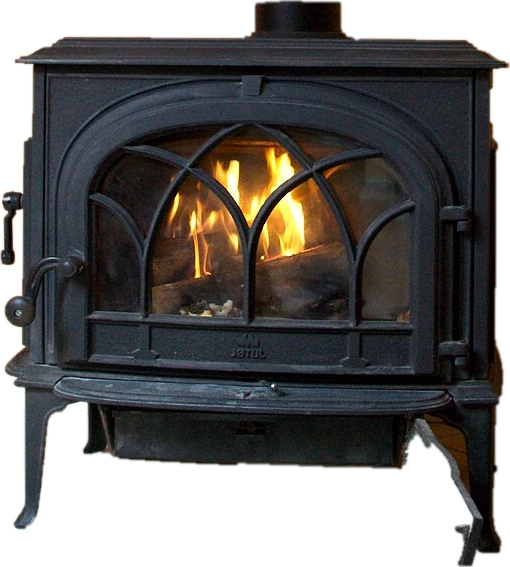
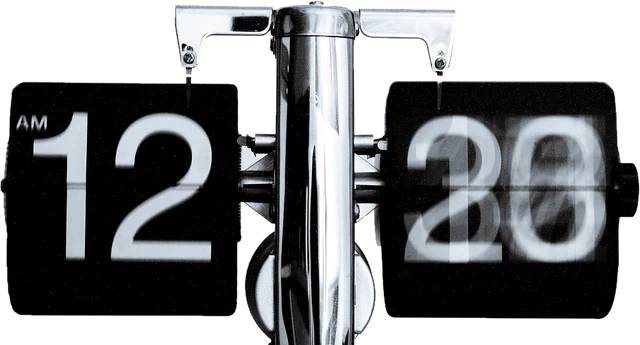
Before streaming, a fireplace DVD was a popular way to get a fire on the TV; today the fireplace screen does it live in the browser. You can also try a full screen flip clock, the falling Matrix screen, or a no signal screen with color bars.
Questions
Does the DVD logo ever hit the corner?
Yes, but not often. The logo moves at 45 degrees, so whether it reaches a corner depends on the screen size, the logo size and where it started. On some screen sizes it hits a corner every few minutes, on others it can take hours or never line up at all. Turn on Predict next corner to see when the next hit will come.
How does the corner hit counter decide what counts?
When the logo touches one edge, the counter checks how far it is from the other edge at that moment. Easy counts anything within 10 pixels, Normal within 4 pixels and Exact within 1 pixel. Each hit shows a short "Corner hit!" message and some confetti, and the count is kept in your browser for next time.
Is this the real DVD logo?
No. It is our own simple text logo drawn by the page, so you can also type your own word, a name or a short message in Logo text. It bounces and changes color just like the classic DVD player screensaver.
How do I get the DVD screensaver?
Open this page and press Full screen, or press F. Windows and macOS do not include a DVD screensaver, so a full screen browser tab is the simplest way to get one on a computer, a TV or a phone.
How do I activate the Google DVD screensaver easter egg?
In 2021 Google added an easter egg: search "dvd screensaver" on desktop Google and the Google logo bounces around the results page, changing color at each edge. It was made for desktop search and did not run in the mobile search app, so on a phone try requesting the desktop site. If the Google trick is not working for you, this page gives the same effect with a corner counter.
How do I make a DVD screensaver in Scratch?
Add a sprite with your logo, point it in direction 45, and inside a forever loop use move 5 steps and if on edge, bounce. To change color on each bounce, add an if touching edge block with change color effect by 25. The same idea in any language is to reverse the x or y speed when the logo reaches a side.
Who made the DVD screensaver and how old is it?
No single person is credited. Bouncing logos were common on DVD players from many brands from the late 1990s, when DVD launched, so the screensaver is over 25 years old. The DVD Video logo itself is a trademark of the DVD Format/Logo Licensing Corporation, which is why this page uses its own text logo.
How do I put the DVD screensaver on my TV?
Open this page in the TV browser, cast the Chrome tab to a Chromecast or Google TV, mirror a Mac or iPhone to an Apple TV with AirPlay, or connect a laptop with HDMI. Then press Full screen.
Can the bouncing DVD logo cause burn-in?
It is one of the safer screensavers, because the logo keeps moving over a black background. The counter in the corner is the only still part; turn off Show counter for long sessions on an OLED screen.
Why does the logo change color?
Old DVD players changed the logo color on every bounce, and so does this one. The color changes at most about three times a second even at top speed, so the screen never flashes. Pick a single color in Color if you prefer one.