How this keyboard polling rate test works
A USB keyboard does not send a message the moment you press a key. The computer asks it for its state at a fixed rate, the polling rate, and the keyboard answers with a small report that lists the keys that are down. At 125 Hz that happens every 8 ms, at 1000 Hz every 1 ms, and on some newer gaming keyboards every 0.25 ms (4000 Hz) or 0.125 ms (8000 Hz).
A web page cannot ask the keyboard for its setting. It can see one useful thing: the time stamp the browser puts on every key press and release. Keys that change between two polls travel in the same report and get almost the same time stamp. Keys in different reports arrive a whole number of report steps apart. So if you type fast enough, the gaps between key events line up on a comb: 1, 2, 3 ms and so on for a 1000 Hz keyboard, or 8, 16, 24 ms for a 125 Hz one.
This test collects every key down and key up (auto repeat is ignored), measures the gaps between them, skips pauses longer than 40 ms, and scores how well each possible step fits. A rate whose step is half of yours also fits, because a 1 ms comb is also a 0.5 ms comb, so the answer is the slowest rate that still fits. If no step fits clearly, or the browser clock is too coarse to tell, the test says so instead of printing a number.
Reading the result
- Polling rate. The estimated report rate, snapped to the standard setting it matches. It is labelled Estimated because it comes from timing, not from the keyboard itself.
- Confidence. High means the gaps sit tightly on the comb and there are plenty of them. Medium or Low means more typing will firm it up.
- Timing noise. How far event times wander from the perfect comb. A few hundredths of a millisecond is normal. Large noise blurs fast rates, which is why 8000 Hz needs a quiet computer to show.
- Timer step. How finely this browser lets the page read the clock. This page asks for cross-origin isolation, which gives Chrome and Edge a clock of a few microseconds. A 1 ms clock can only prove rates up to 500 Hz.
The histogram shows the same data. Look for regular spikes: spikes every 1 ms mean 1000 Hz, every 2 ms mean 500 Hz, and spikes only every 8 ms mean 125 Hz. A smooth smear with no spikes means the timing is too noisy to show the step.
How to get a clean reading
- Use Chrome or Edge on a desktop or laptop and close heavy apps and games.
- Plug the keyboard straight into a USB port on the computer, not a hub, monitor or KVM switch.
- Click the test box so keys do not scroll the page.
- Roll four fingers across A, S, D, F and back as fast as you can, then mash three or four keys at once. Keep going for 10 to 15 seconds.
- If the result changes after a setting change in the keyboard app, press Reset and test again.
Why the result can differ from the box
The setting is lower than you think. Many gaming keyboards ship at 1000 Hz but some profiles, game modes or power saving modes drop to 125 or 500 Hz. Check the keyboard app.
Bluetooth. Bluetooth keyboards follow the radio connection interval, often 7.5 to 15 ms. The test then reports a rate that is not a USB setting, which is expected. Switch to the 2.4 GHz receiver or a cable for gaming.
The browser or system. Firefox and Safari round their clock to protect privacy, so they can confirm 125 to 500 Hz and only say "at least 1000 Hz" above that. On some systems the browser stamps key events when it gets round to them rather than when they arrive, which adds noise and can hide 4000 and 8000 Hz.
What this test does not tell you
Polling rate is only one part of keyboard delay. Switch travel, the debounce time in the keyboard firmware and how often the keyboard scans its own keys often matter more than the difference between 1000 and 8000 Hz. No web page can measure those. To see the part of the delay your browser adds, use the keyboard latency test. To check that every key works, use the keyboard test.
Questions
How do I check my keyboard polling rate?
Click the test box above, then roll your fingers across a row of keys as fast as you can and mash a few keys at once, for about 10 seconds. The test looks at the time between key events and finds the step they snap to: 8 ms is 125 Hz, 1 ms is 1000 Hz.
Can a browser read my keyboard polling rate directly?
No. Web pages cannot talk to the USB port, so no website can read the setting. What a page can see is the time each key event was stamped. Events from one USB report arrive together and events from later reports arrive whole steps apart, so the step shows the rate. That is why the result is labelled Estimated.
What does a 1000 Hz keyboard mean?
The computer asks the keyboard for its key state 1000 times a second, so a press waits at most 1 ms to be sent. Office keyboards usually run at 125 Hz (up to 8 ms of waiting). Many gaming keyboards run at 1000 Hz, and some newer ones at 4000 or 8000 Hz.
Why does my 1000 Hz keyboard show 500 Hz or no result?
Usually not enough short gaps: type faster, mash several keys together and keep going for 10 to 15 seconds. Also check that the keyboard is not in a power saving or Bluetooth mode, that its software has not set a lower rate, and that it is plugged straight into the computer rather than a hub.
Why does Firefox or Safari say at least 1000 Hz?
Those browsers round their clock to about 1 ms for privacy unless the site is specially isolated. A 1 ms clock can prove 125, 250 and 500 Hz, but it cannot tell 1000 Hz from 8000 Hz. Chrome and Edge give a finer clock on this page and can read higher rates.
Can this test show 4000 or 8000 Hz?
Sometimes. At 8000 Hz the step is 0.125 ms, so it only shows up when the browser clock is precise and the computer is quiet. If the step is hidden by timing noise the test says it found no clear step instead of guessing. A result of 2000 Hz or more already means the high rate is active.
Does this work with Bluetooth keyboards?
It runs, but Bluetooth keyboards report on the radio schedule, usually every 7.5 to 15 ms, not at the USB rates. The test then shows a rate that is not a standard setting, such as about 133 Hz. That is normal for Bluetooth. A 2.4 GHz gaming receiver behaves like USB.
How do I change my keyboard polling rate?
Open the keyboard maker's app (Razer Synapse, Corsair iCUE, Logitech G HUB, SteelSeries GG, Wootility and others) and look for polling rate or report rate. Some keyboards switch with a key combination, often Fn plus a number key, listed in the manual.
Is a higher keyboard polling rate better for gaming?
It removes a few milliseconds at most: 125 Hz adds up to 8 ms, 1000 Hz up to 1 ms. For typing you will not notice. For fast games 1000 Hz is a sensible default. 4000 and 8000 Hz shave off fractions of a millisecond more but use more CPU and battery.
More tests
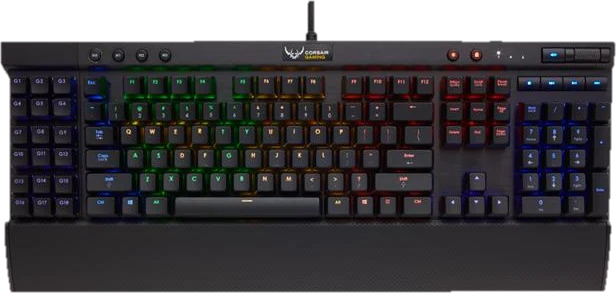 Keyboard testPress every key, with ISO, AZERTY and QWERTZ layoutsGhosting testHow many keys register at once
 Keyboard chatter testFind keys that type twice (double typing)Keyboard latency testInput delay and jitter your browser seesKey drop testHold a key and catch signal drops
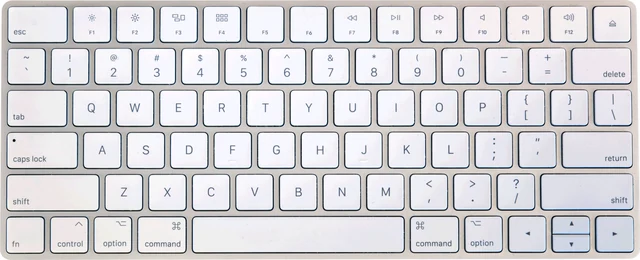 Mac keyboard testMacBook and Magic Keyboard, every key