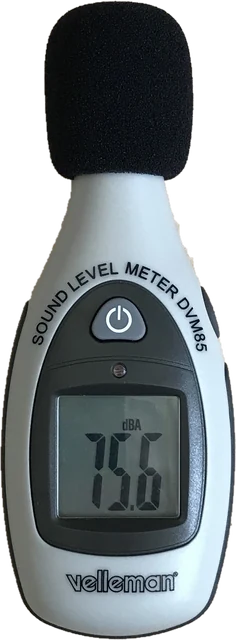
How to read the sound level meter
The big number is the noise level right now, in dB(A), with Fast time weighting: the meter follows changes over about 125 ms, like a handheld sound level meter on its Fast setting. Switch to Slow (1 s) for a calmer number when the noise flickers. Leq is the energy average since you pressed Start, the number that noise rules and hearing limits use. Max and Min are the loudest and quietest moments. The graph shows the last 60 seconds, so you can see when a noise starts and stops.
The flat dB(Z) value has no weighting. When it is much higher than dB(A), most of the energy is low frequency: traffic rumble, a subwoofer, a fridge compressor or a neighbour's music through a wall.
The "How loud is that?" panel is a decibel chart of everyday sounds, from a whisper at 30 dB to a siren at 120 dB. While the meter runs, the row that matches your reading lights up, so you can compare the number with sounds you know.
How a sound level meter works
A handheld sound level meter looks like a small remote with a microphone on a thin neck at the top, often under a foam ball that cuts wind noise, and a display below. Drawn as a block diagram, its working principle is a simple chain: microphone, preamplifier, weighting filter, RMS detector with Fast or Slow time weighting, then a display in dB. The weighting networks are the filters: A matches hearing at normal levels, C is flatter and used for loud or bass heavy sound, and Z is flat. This page follows the same chain in software, with A and Z weighting, Fast and Slow, and an offset in place of a factory calibrated microphone.
Types of sound level meters
A basic sound level meter shows the level right now and the maximum. An integrating sound level meter also adds up the sound energy over time to give Leq, the average that noise rules use. Professional meters are graded Class 1 or Class 2 under IEC 61672, with Class 1 used for legal and environmental work, and an environmental sound level meter adds weatherproof housings and long term logging for outdoor noise. This browser meter behaves like a basic integrating meter, because it shows the live level and an Leq, but its numbers stay Estimated because a phone or laptop mic is not a certified instrument.
Use it in a classroom or to check your voice
As a sound level meter for a classroom, put the page on a projector or a tablet at the front of the room: students see the live number and the decibel chart react, and the Slow setting keeps the number calm. Group work often sits around 60 to 70 dB(A), so a target such as "stay under 65" gives a clear goal. It also works as a voice decibel meter: hold the mic about 30 cm from your mouth to see how loud your voice is, or check the volume of a TV or speaker before a call or a recording.
How accurate is a phone or laptop decibel meter?
A browser cannot measure sound pressure directly. It gets numbers relative to the loudest signal the microphone can deliver, called dBFS. To show dB, this meter adds an offset. The default of +100 dB fits a typical laptop or phone mic with auto gain off, but the real value depends on the mic, the device and its gain settings, so an uncalibrated reading can be 5 to 10 dB off.
After calibration, a decent phone mic is usually within 2 to 3 dB for everyday noise. It gets worse at the ends. Below about 35 dB(A), most small mics hear their own electronic hiss, so a silent bedroom still reads 30 to 35. Above about 100 dB(A), the mic or its converter can overload and the reading stops rising; the Overload label appears when the signal hits full scale. Many phones and some browsers also apply automatic gain control, which squeezes loud and quiet sounds together. This page asks the browser to turn that off and tells you if it refused.
dB vs dB(A)
Your ear is less sensitive to low and very high frequencies at normal listening levels. A-weighting copies that with a standard curve from IEC 61672: it cuts 100 Hz by about 19 dB and 50 Hz by about 30 dB, leaves 1 to 4 kHz almost unchanged, and rolls off again above 10 kHz. This meter applies the full curve as a digital filter, so a 1 kHz tone reads the same in dB(A) and dB, while a 100 Hz hum reads about 19 dB lower in dB(A). Workplace limits, WHO guidelines and most local noise rules use dB(A).
How to calibrate
Borrow a real sound level meter, or use a meter app you know is calibrated. Make a steady sound, such as a fan, a shower, pink noise from a speaker or a vacuum cleaner in another room, and put both devices side by side at the same distance. Wait until both settle, type the real reading under "A real meter reads" and press Match. The page compares it with its own 3 second average and saves the offset for that microphone. If you only want to fine tune, use the plus and minus 1 dB buttons. Calibrating at around 60 to 80 dB(A) gives the best result across the range.
How to measure noise from neighbours, appliances or work
- Neighbours: measure in the room where the noise bothers you, in the middle of the room, away from walls and with windows closed. Record a Leq over at least 30 seconds while the noise is on, and again when it is off, so you know the background level. Note the date, time and how long it lasted.
- Appliances: hold the device about 1 metre away, at the height of the noise source, and measure for 30 seconds.
- Workplace: measure at ear height where you actually stand, over a typical part of the shift. A full day average matters more than one loud moment. If the Leq is near 85 dB(A), ask for a proper noise assessment.
Keep the mic pointing at the source, do not cover it with your fingers or a case, and do not talk during the measurement. Wind and handling noise read as loud low frequency sound.
Safe listening levels
NIOSH recommends a limit of 85 dB(A) for 8 hours a day. Each 3 dB above that halves the safe time: 88 dB(A) for 4 hours, 91 for 2 hours, 94 for 1 hour and 100 for about 15 minutes. The "Safe time per day" box uses your Leq to show this. US workplace law (OSHA) is less strict, at 90 dB(A) for 8 hours. The WHO suggests keeping night noise in a bedroom near 30 dB(A).
Why readings differ between devices
Two phones next to each other can disagree by 10 dB. Mics differ in sensitivity, the mic may sit on the back, bottom or edge of the device, cases and hands block it, and each system adds its own gain and processing. Headsets and Bluetooth mics are made for speech and limit both bandwidth and level. That is why the offset is saved separately for each input: calibrate each mic once and the readings stay comparable. To check that a mic picks up sound cleanly at all, run the mic test, and use the sound test to play test tones through your speakers.
Questions
How do I use this online decibel meter?
Press "Start sound level meter" and allow the microphone. The big number is the current noise level in dB(A), updated with Fast (125 ms) time weighting. Leave it running for a while to get a stable Leq, the energy average since you started, or press "Measure for 30 s" for a short report you can copy.
How accurate is a sound level meter on a phone or laptop?
Uncalibrated, expect the reading to be off by 5 to 10 dB, because every microphone and every device gain is different. After you calibrate against a real meter, a good phone mic is usually within about 2 to 3 dB for everyday noise between roughly 40 and 90 dB(A). Below about 35 dB(A) you mostly measure the mic's own hiss, and very loud sound can overload the mic, so both ends read too low or too high.
Can I use my iPhone as a decibel meter?
Yes. Open this page in Safari, allow the microphone, and the meter runs in the browser with nothing to install. iPhones also have a built-in Noise app on Apple Watch and a Hearing control in Control Center that shows headphone levels, but neither shows room noise in detail. For the closest readings, hold the phone still with the microphone facing the sound and calibrate once against a known level.
What is the difference between dB and dB(A)?
Plain dB (also called dB(Z) or flat) counts all frequencies equally. dB(A) applies the A-weighting curve, which turns down low and very high frequencies the way your ear does at moderate levels. A 100 Hz hum reads about 19 dB lower in dB(A) than in flat dB, while a 1 kHz tone reads the same. Noise limits and hearing safety rules are almost always written in dB(A).
Why do two phones show different decibel readings for the same noise?
Each phone has a different microphone, a different amount of analog and digital gain, and different processing. A browser only receives numbers relative to the mic's maximum (dBFS), so the meter adds an offset to turn them into dB. That offset differs between devices, which is why you should calibrate each microphone once. The offset is saved for each input device.
How do I calibrate the decibel meter?
Play a steady sound, such as pink noise, a fan or a running tap, and hold a real sound level meter or a calibrated meter app next to your device. Type what the real meter shows into "A real meter reads" and press Match. The page compares it with its own average of the last 3 seconds and sets the offset. You can also nudge the offset by 1 dB with the plus and minus buttons.
How loud is too loud?
NIOSH recommends no more than 8 hours a day at 85 dB(A). Every extra 3 dB halves the safe time: 4 hours at 88 dB(A), 1 hour at 94 dB(A) and about 15 minutes at 100 dB(A). Any sound at 120 dB or more can hurt and can damage hearing within moments. The "Safe time per day" box shows the NIOSH limit for your measured Leq.
What decibel level is normal for a quiet room or a bedroom?
A quiet bedroom at night is about 25 to 35 dB(A), a quiet office or library about 40 dB(A), and a normal conversation about 55 to 65 dB(A) at 1 metre. The WHO suggests keeping night-time noise inside a bedroom around 30 dB(A) for good sleep. Phone and laptop mics struggle below 30 to 35 dB(A), so a reading in that range means "very quiet" rather than an exact number.
Can I use this as evidence for a noise complaint?
Treat it as a guide, not proof. Use it to find out when the noise happens, how long it lasts and roughly how loud it is, and keep a written log with dates, times and Leq values. Councils, landlords and courts rely on calibrated Class 1 or Class 2 meters, so if the numbers matter, ask the council to measure or hire a meter.
What is a decibel meter used for?
A decibel meter, also called a sound level meter, noise meter or SPL meter, measures how loud a sound is in decibels. People use one to check workplace and hearing safety limits, log noise from neighbours, traffic or appliances, set speaker levels, and keep a classroom or office at a comfortable level. A noise dosimeter is a related device worn on the body for a whole shift to measure a worker's total daily noise dose.
Are decibel meter apps accurate?
They can be close, but they are estimates. A 2014 NIOSH study found a few iPhone apps within about 2 dB(A) of a professional reference meter, while Android apps varied much more because Android phones use many different microphones. Any app, including this page, gets much better once you calibrate it against a real meter.
Is there a free decibel meter app for Android?
You do not need one: this page works as a free decibel meter in Chrome on Android, with nothing to install. The NIOSH Sound Level Meter app is only available for iPhone and iPad, so on Android a browser meter or a store app is the choice. Whatever you use, phone readings stay estimates until you calibrate.
How does a sound level meter work?
A microphone turns air pressure changes into a voltage, a weighting filter shapes it to match human hearing (A, C or Z weighting), and a detector takes the RMS level with Fast or Slow time weighting. The display shows that level on a logarithmic scale in decibels. This page does the same steps in software on your mic signal, which is why calibration matters.
Where should I place the device when using a sound level meter?
Hold it at arm's length or put it on a tripod, about 1.2 to 1.5 metres above the floor, at least 1 metre from walls and large objects, with the microphone pointed at the noise. Keep your body out of the way, because it reflects and blocks sound. For a phone, find which edge the mic is on and point that edge at the source.
How do I use a handheld sound level meter, such as an Extech or Radio Shack model?
Turn it on, choose A weighting for noise and hearing checks (C for speaker or bass levels), pick Fast for changing noise or Slow for steady noise, and set a range that covers the expected level so the reading is not over or under range. Hold it at arm's length, point the microphone at the source and read the display, or use the max hold button for peaks. Check the model's manual for its exact buttons.
How much does a decibel meter cost?
A basic digital sound level meter costs roughly 20 to 60 US dollars. A Class 2 meter that meets IEC 61672 usually costs a few hundred dollars, and a Class 1 professional meter with logging and octave bands often costs several thousand. A phone or laptop with this page costs nothing and gives an estimate.
How do I use a sound level meter for home theater calibration?
Run your AV receiver's speaker test tones, sit at the main listening position with the meter at ear height and the mic pointed at the ceiling, and set each speaker so it reads the same level, commonly 75 dB with C weighting and Slow. This page has no C weighting, so use the flat dB(Z) value with Slow, and treat the numbers as relative unless you have calibrated.
When should a sound level meter be calibrated?
Professional meters get a field check with an acoustic calibrator (a known tone, usually 94 dB at 1 kHz) before and after each measurement session, and a lab check from a calibration service every one or two years. For this page, calibrate once per microphone against a real meter, and again if you change the device, the case or the mic settings.
Is the sound recorded or uploaded?
No. The level is calculated in your browser from the live microphone signal and nothing is recorded or stored except your calibration offset, which stays in this browser. The page has no server to send audio to, and the microphone turns off when you press Stop or leave the tab.
More tests
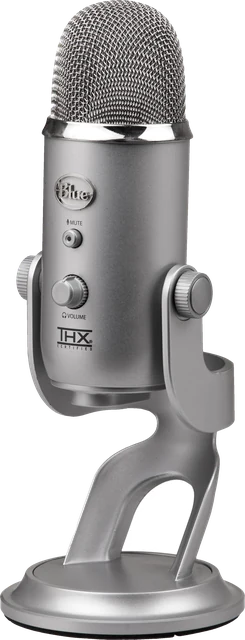 Mic testLevel, clipping, noise floor and a playback check
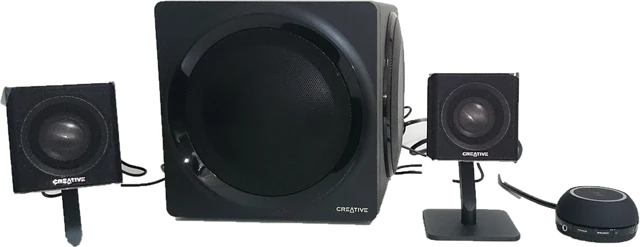 Sound testSpeaker and headphone test: left, right, sweep and bass
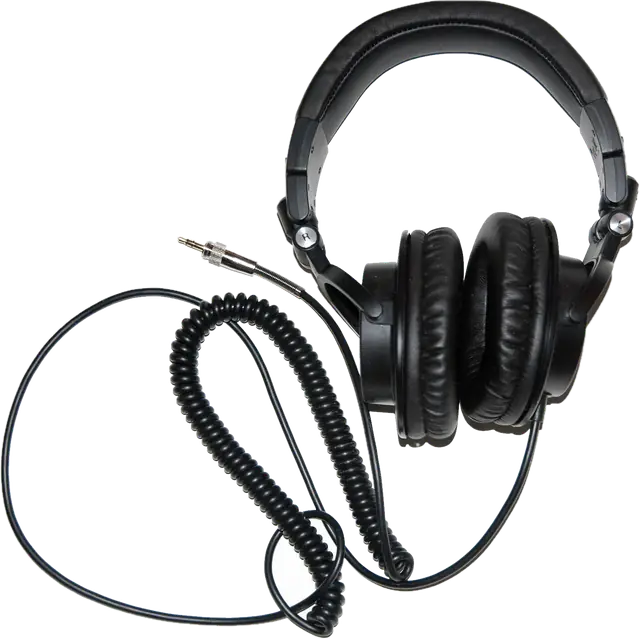 Headphone testLeft and right, stereo or mono, polarity and a quick headphone check
 Bass testSubwoofer test: a 10 to 200 Hz sweep, crossover check and rattle finder
 Water ejectSpeaker cleaner sound: 165 Hz pulses push water out of a phone speaker
 Tone generatorAny frequency from 1 Hz to 22 kHz: sine, square, sweep and beats