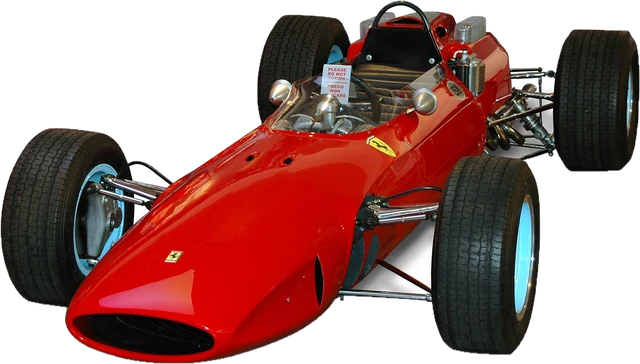
How the start lights test works
Press to begin. The five red lights come on one at a time, about one second apart. When all five are lit they hold for a random time between 0.2 and 3 seconds, then all go out together. That is your signal: click, tap or press Space as fast as you can. The time from the frame where the lights went out to your input is your reaction time.
If you move while any light is still on, it is a jump start and the start does not count. A response under 100 ms after lights out is also treated as a jump start, because a real reaction takes longer than that. You only learn to beat the lights by watching them, not by guessing the rhythm.
Your best time and your last 5 starts are saved in this browser, and the average of those 5 is the fairest number to compare, because one start can be lucky or slow by 50 ms.
What your number includes
No browser test measures your brain alone. The lights only change on the next screen refresh, up to 16.7 ms away at 60 Hz or 6.9 ms at 144 Hz. Your mouse or keyboard adds a few milliseconds more, wireless and Bluetooth devices and touch screens a little more again, and the computer adds its own small delays. Together that is usually tens of milliseconds, which is why the same person scores better on a fast gaming setup than on an old laptop. The display rate shown above is estimated from how often the browser draws frames; the refresh rate test gives a closer look.
Tips for a faster start
- Watch the lights, not the clock. React to the lights going out. Trying to predict the moment leads to jump starts.
- Rest your finger on the button or key. Any travel before the press is added to your time.
- Use a fast screen and a wired device. A 144 Hz or higher monitor and a wired mouse remove some setup delay. You can check your mouse with the polling rate test.
- Warm up. The first few starts of a session are usually the slowest.
More speed tests
The classic reaction time test uses a box that turns green and averages 5 tries. For repeated speed rather than a single response, try the CPS test or the spacebar click test.
Questions
How does the F1 reaction time test work?
Five red lights come on one by one, about a second apart. After the fifth, they stay on for a random time between 0.2 and 3 seconds, then all go out at once. Click, tap or press Space the moment they go out. Your time is measured from the frame where the lights went out to your input.
What is a good F1 reaction time?
Simple visual reaction time for most people is roughly 200 to 250 ms, and an online test adds the delay of your screen, mouse or keyboard and computer. Under 200 ms on this test is fast. Compare your average of 5 rather than a single lucky start.
How fast are Formula 1 drivers at the start?
An F1 racer is often quoted at around 0.2 seconds at the start of a race, but real starts are timed with different equipment and include releasing a clutch, not clicking a mouse. Treat that figure as a rough reference, not a target this test can measure directly.
What counts as a jump start?
Any click, tap or Space press before the lights go out. Responses under 100 ms after the lights go out also count as a jump start, because nobody can see, decide and move that fast; it means you guessed the moment.
Why is the wait after the fifth light random?
So you cannot learn the rhythm. If the lights always went out after the same pause, you would time it instead of reacting to it. The random hold is between 0.2 and 3 seconds.
Is my best time saved?
Yes. Your best time and your last 5 starts are kept in this browser only, so the average carries over to your next visit on this device. Nothing is uploaded. Press Clear saved times to start fresh.
Is this an official Formula 1 test?
No. It is an independent reaction test inspired by the start lights used in motor racing, and it is not affiliated with Formula 1, the FIA or any team.
More tests
 CPS testClicks per second in 1, 5, 10 or 60 seconds
 Reaction time testHow fast you react, in milliseconds
 Spacebar counterHow fast can you press the space barKohi click testThe classic 10 second CPS testSpacebar click testSpace bar presses per second, 1 to 60 seconds
 Right click CPS testRight click speed, and check the right button works