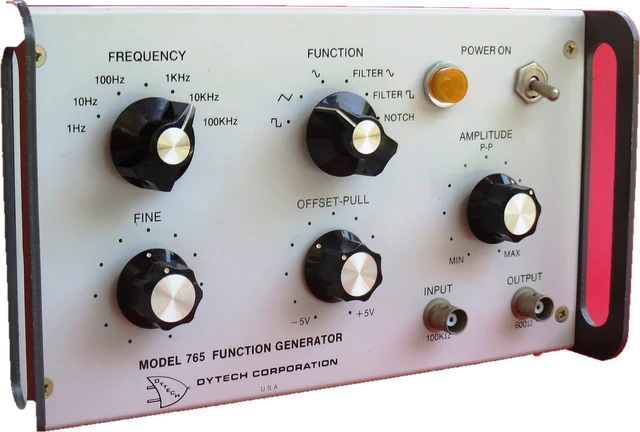
This online tone generator plays any frequency from 1 Hz to 22 kHz in your browser. Type a number of hertz or a note name, move the slider, and press Play: you get a clean sine wave, or a square, triangle or sawtooth wave if you want harmonics. It works as a frequency generator for testing speakers and headphones, a hz generator for tuning and lessons, and a test tone for checking a sound system or finding a rattle. Under More options it also plays a frequency sweep, two or three tones at once for beats and chords, and a tone in one ear only. The volume starts low and is capped, every tone fades in so it never starts with a click, and nothing plays until you press Play. The page then explains what each waveform is, which test frequencies are useful and why, and what a sound generator in a browser can and cannot do.
How does an online tone generator work?
A tone is air pressure going up and down at a steady rate. The rate is the frequency, counted in hertz (Hz): cycles per second. 440 Hz means the air pressure rises and falls 440 times a second, which we hear as the note A above middle C. Low frequencies sound deep, high frequencies sound sharp, and most people hear somewhere between about 20 Hz and 20 kHz when they are young.
This page uses the browser's Web Audio API. An oscillator inside the browser calculates the waveform sample by sample, at the sound card's sample rate (usually 44,100 or 48,000 samples a second), and sends it to your speakers. Nothing is downloaded and no audio file is played, so you can change the frequency while the tone is running and it follows instantly. The highest tone a browser can make is just under half the sample rate (the Nyquist limit), which is why the range stops at 22 kHz.
Worked example: a 440 Hz tone
At 440 Hz one cycle takes 1/440 of a second, which is 2.27 ms. Sound travels about 343 metres a second in air at 20 C, so one wave is 343/440 = 0.78 m long. At a 48 kHz sample rate the oscillator calculates 109.1 samples for every cycle (100.2 at 44.1 kHz). The note readout shows A4, in tune. Type 445 instead and it shows A4, +20 cents: a cent is one hundredth of a semitone, and 445 Hz is that much sharp of A.
The volume slider starts at 20%, which plays the tone at -34 dB below full scale. The slider follows a square law, so it feels even, and 100% is capped at -6 dB: half of full scale. That cap leaves headroom and keeps a sudden jump to 100% from being as loud as the browser could make it.
How to use the tone generator: step by step
Step 1: Turn your volume down
Set your system volume to about a quarter. The tool starts at 20% and never plays louder than half of full scale, but headphones turn even that into a loud sound.
Step 2: Choose a frequency
Type a number of hertz (440), a note name (A4) or 1k for 1,000 Hz, or move the slider. The note and how many cents it is off show under the box.
Step 3: Pick a waveform
Sine is the pure test tone. Square, triangle and sawtooth add harmonics, which makes them sound brighter and buzzier.
Step 4: Press Play
The tone fades in over 30 ms. Change the frequency, waveform or volume while it plays; it follows smoothly.
Step 5: Use More options for the rest
Send the tone to the left or right only, sweep between two frequencies, add a second or third tone for beats, jump to a note, or set a stop timer. The page address keeps your settings, so you can share the exact tone.
Frequency generator waveforms: sine, square, triangle and sawtooth
Every waveform here repeats at the frequency you choose, but they sound different because of the harmonics: extra tones at 2, 3, 4 and more times the frequency. The chart shows two cycles of each waveform and the level of its first nine harmonics, from the Fourier series the oscillator follows.
| Waveform | Harmonics | Sounds like | RMS at full scale | Level trim here |
|---|---|---|---|---|
| Sine | None, one pure frequency | A clean whistle; the standard test tone | 0.707 | 100% |
| Square | Odd: 1/3, 1/5, 1/7... | Hollow, buzzy, like an old game console | 1.000 | 71% |
| Triangle | Odd, much quieter: 1/9, 1/25... | Soft, close to a sine, a little like a flute | 0.577 | 100% |
| Sawtooth | All: 1/2, 1/3, 1/4... | Bright and brassy, like a string or brass synth | 0.577 | 100% |
A square wave carries more energy than a sine of the same peak (RMS 1 against 0.707), so it would sound about 3 dB louder. The tool trims the square wave to the same RMS as the sine, so switching waveforms does not make a sudden jump in volume. For testing speakers, use the sine: the harmonics of the other waveforms make it hard to tell whether you are hearing the tone itself or its overtones.
440 Hz tone, notes and tuning
440 Hz is the A above middle C (A4) and the standard tuning pitch for most music, set as an international standard (ISO 16). Play it to tune a guitar, violin or ukulele by ear, or type any other note: the box accepts names like C4, F#3 or Bb2, and More options has every note from C0 to B8. Each octave up doubles the frequency, and each of the twelve semitones in between multiplies it by the twelfth root of two (about 1.0595).
| Octave | 0 | 1 | 2 | 3 | 4 | 5 | 6 | 7 | 8 |
|---|---|---|---|---|---|---|---|---|---|
| C | 16.35 | 32.70 | 65.41 | 130.81 | 261.63 | 523.25 | 1,046.50 | 2,093.00 | 4,186.01 |
| A | 27.50 | 55.00 | 110.00 | 220.00 | 440.00 | 880.00 | 1,760.00 | 3,520.00 | 7,040.00 |
Frequencies in Hz in equal temperament with A4 = 440 Hz. Middle C is C4, 261.63 Hz; the lowest piano key is A0, 27.5 Hz.
1 kHz test tone and other useful test frequencies
The 1 kHz sine is the reference test tone in audio: levels, meters and the sensitivity of microphones and speakers are usually quoted at 1 kHz, and it sits in the middle of the range most people hear well. A few other frequencies have their own uses:
| Frequency | Use |
|---|---|
| 20 to 40 Hz | Deep bass and subwoofer checks; felt as much as heard. Phones and laptops cannot play it. |
| 50 Hz, 60 Hz | Mains hum: the frequency of the power grid (50 Hz in Europe, most of Asia and Africa; 60 Hz in the Americas). Play it to recognise a hum or ground loop in a system. |
| 100 to 250 Hz | Bass and low mids; where small speakers start to play properly. The water eject sound uses 165 Hz. |
| 440 Hz | A4, the tuning note. |
| 1 kHz | The standard reference test tone. |
| 2 to 5 kHz | Where human hearing is most sensitive, so tones here sound loudest at the same level. |
| 10 to 15 kHz | Treble and tweeter checks. |
| 17.4 kHz | The mosquito tone, which most adults over about 25 cannot hear. |
High frequency sound generator: 15 kHz to 22 kHz
High tones are where hearing fades first with age, so a high frequency generator is the quickest way to hear your own limit. Start at 10 kHz at a low volume and step up: many adults lose the tone somewhere between 12 and 16 kHz, and teenagers often hear up to 18 or 19 kHz. Do not raise the volume to chase a tone you have lost, because the tone is still there at full strength for your speakers. For a guided version with a rough hearing age, use the hearing frequency test. Small laptop speakers and some Bluetooth codecs also cut the top end, so silence above 16 kHz can be the device, not your ears.
Low frequency sound generator: 1 Hz to 100 Hz
Below about 20 Hz is infrasound: you feel pressure rather than hear a pitch, and most speakers barely move air at these frequencies. Between 20 and 100 Hz is deep bass, which needs a big speaker cone or a subwoofer. Phone and laptop speakers usually stop playing anything useful below about 100 to 200 Hz; what you hear from them at 40 Hz is mostly distortion at 80 and 120 Hz. Use headphones with a good seal, or a subwoofer, for low tones, and keep the volume down: low tones at high volume can push a speaker cone further than it is built to move. To find out how low your speakers really go, use the bass test.
Frequency sweep generator
A sweep glides from one frequency to another, so you hear the whole range of a speaker in one go. Under More options, choose where it starts and ends, how long it takes and the scale. A logarithmic sweep spends the same time on every octave, which matches how we hear pitch; a linear sweep spends the same time on every hertz, so it rushes through the bass and spends most of the time in the treble. Listen for the point where the tone appears and fades, for a buzz or rattle at one frequency, and for sudden loud or quiet patches, which show peaks and dips in the speaker or the room.
Two tones and beats
Add a second tone a few hertz away from the first and you hear the volume pulse: the two waves drift in and out of step, and the pulse rate equals the difference between them. 440 Hz and 444 Hz pulse 4 times a second. Musicians use beats to tune: as two strings get closer in pitch, the beating slows down and stops. With the tones further apart, the pulse turns into a rough sound and then into two separate notes; add a third tone for a chord (for example 440, 554 and 659 Hz for A major).
The "First tone left, the others right" switch sends the tones to different ears. With headphones, two tones a few hertz apart then seem to pulse inside your head. This is often sold as binaural beats with claims about focus or sleep; we only provide the tones and make no such claims.
Left or right only: tone generator for headphones
Choose Left or Right under More options to play the tone in one channel. It is a quick way to check that the left and right sides of your headphones or speakers are wired the right way round and both work. For a guided check of headphones with left, right, centre and polarity and a plain verdict, use the headphone test; for speakers and surround, the sound test.
Is a tone generator safe for your ears and speakers?
Pure tones are tiring to listen to, and they can be loud even when they do not sound loud, especially high ones. The US National Institute on Deafness and Other Communication Disorders lists sounds at or above 85 dBA as able to damage hearing with long or repeated exposure, and headphones can reach that easily. That is why this page starts quiet, fades every tone in and out, caps the volume at half of full scale and warns above 60%. For speakers: long, loud high tones can overheat a tweeter, and loud low tones can push a woofer beyond its travel. Keep test tones short and at a moderate level.
Why we built this tone generator
Most online tone generators are either one old page with a slider, or clone pages with an ad in front of a play button that starts at a fixed volume. Few say how loud the tone is, what the waveform options really do, or that a browser cannot make a dog whistle or a healing frequency. We wanted one calm page that does the useful things well: type an exact frequency or a note, hear it at a safe level, sweep, and share the exact settings with someone else.
Nitin Raja, who builds this site, tested a lot of these tools before building this one, and kept what people actually use: the type-in with note names, octave steps, a sweep, two tones for beats, left or right, and a link that keeps the settings.
What this tone generator plays
The tool makes its sound with the Web Audio API's OscillatorNode, exactly as follows:
- Frequency: 1 Hz to 22,000 Hz (or just under half the sample rate if that is lower). The slider is logarithmic; under 100 Hz the frequency is rounded to 0.1 Hz, above it to 1 Hz. Typed values keep their precision to 0.1 Hz below 100 Hz.
- Waveforms: the oscillator's sine, square, triangle and sawtooth. The square wave is trimmed to 71% so it has the same RMS level as the sine.
- Volume: 0 to 100%, gain = 0.5 x (volume/100) squared, so 100% is -6 dBFS and the default 20% is -34 dBFS. With two or three tones each tone gets a half or a third of that, so they cannot add up past the cap.
- Fades: 30 ms in and out on every start and stop; frequency changes glide over about 12 ms so they do not click.
- Sweep: from and to any two frequencies in range, 5, 10, 20, 30, 60 seconds, logarithmic or linear.
- Notes: nearest equal-tempered note with A4 = 440 Hz, and the difference in cents.
- The waveform view is the signal the page sends to your speakers, read back inside the browser.
It does not use the microphone and does not measure your speakers or your hearing: you judge the sound by ear. The actual loudness depends on your system volume and your speakers or headphones. Sources were last checked October 25, 2026.
Why this tone generator is different
- Nothing plays on load, and the volume starts low with a hard cap.
- Type a note or a frequency: 440, 1k, A4 or C#5 all work, with the note and cents shown live.
- Equal loudness across waveforms, so switching to square does not jump in volume.
- Sweep, beats, chords and split ears in the same tool, kept out of the way under More options.
- Honest about limits: no dog whistle, no healing claims, no medical use.
- A share link that keeps the frequency, waveform, channel and extra tones.
| This tone generator | Typical tone generator page | |
|---|---|---|
| Sound on load | Never; only after Play | Usually a play button, sometimes autoplay |
| Volume | Starts at 20%, capped at -6 dBFS, warning above 60% | Often full scale |
| Type a note name | Yes (A4, C#5, Bb3) | Rarely |
| Sweep and beats | Both, log or linear sweep | Sometimes on separate pages |
| Click-free start and stop | 30 ms fades | Often clicks |
| Health claims | None | Some promote healing frequencies |
How accurate is an online frequency generator?
- Frequency: the oscillator is calculated digitally from the sound card's clock, so the frequency is accurate to well under 0.1% on any normal device. A cheap sound card's clock can be off by a tiny amount; it does not matter for listening.
- What you hear is set by your speakers: no browser can make a phone speaker play 30 Hz or a worn tweeter play 18 kHz. If a tone is silent, try headphones before deciding it is your hearing.
- Bluetooth and some sound settings change the sound: equalisers, spatial audio, loudness or "bass boost" settings, and Bluetooth codecs can alter the tone or cut high frequencies. Turn them off for testing.
- Very high frequencies near the limit can produce faint aliasing tones with the square and sawtooth waveforms, because their harmonics go past the Nyquist limit. Use the sine for high tests.
- It is not a calibrated signal generator for lab work: the output level in volts depends on your device and volume, and it is not a medical device.
Sources
Checked on October 25, 2026:
Tone generator FAQ
How do I play a specific frequency online?
Type the frequency in hertz in the box above, for example 1000, or a note name such as A4, then press Play. The slider covers 1 Hz to 22 kHz on a log scale, and the buttons next to it move one hertz or one octave at a time.
What is the best frequency for a test tone?
1 kHz is the standard reference test tone in audio, and 440 Hz (A4) is the standard tuning note. For a speaker or headphone check, play a few tones across the range, such as 50 Hz, 1 kHz and 10 kHz, at a low volume.
What is the highest frequency a human can hear?
About 20 kHz for young people, and it falls with age, so many adults stop somewhere between 12 and 16 kHz. Our hearing frequency test finds your own limit in a few minutes.
Can a tone generator damage my speakers or hearing?
At a moderate volume, no. Long, loud high tones can overheat small tweeters, and very low tones at high volume can push a woofer past its limits. Keep the volume low, start quiet and never chase a tone you cannot hear by turning the volume up.
What is the difference between a sine, square, triangle and sawtooth wave?
A sine wave is a single pure frequency. A square wave adds the odd harmonics at 1/3, 1/5 and 1/7 of the level, which makes it hollow and buzzy. A triangle has the same odd harmonics but much quieter (1/9, 1/25), so it sounds close to a sine. A sawtooth has every harmonic and sounds bright and brassy.
Can my phone play a dog whistle frequency?
No. Dog whistles work at roughly 23 to 54 kHz, above what a browser can generate (about 22 to 24 kHz at the most) and far above what a phone speaker can play. This tool stops at 22 kHz.
Does 432 Hz or 528 Hz have special healing effects?
We know of no good evidence for it. You can play any frequency here, including 432 and 528 Hz, but this is a test tool, not a therapy, and the page makes no health claims.
Can I use a tone generator to find my tinnitus frequency?
Some people use a tone generator to describe the pitch of their tinnitus to a doctor. This is not a medical tool, and a hearing professional uses calibrated equipment for tinnitus matching. Keep the volume low.
Related tools
 Hearing frequency testThe highest and lowest tones you can hear (not a medical test)
 Sound testSpeaker and headphone test: left, right, sweep and bass
 Headphone testLeft and right, stereo or mono, polarity and a quick headphone check
 Bass testSubwoofer test: a 10 to 200 Hz sweep, crossover check and rattle finder
 Water ejectSpeaker cleaner sound: 165 Hz pulses push water out of a phone speaker
 Decibel meterSound level in dB from your microphone