What a purple screen is good for
Purple on a screen comes from the red and blue subpixels with green turned down or off. It is a dim, rich colour, which makes it a good mood light and a striking background, and a useful check of how your panel mixes red and blue.
Mood and party light
Violet and Purple give a club or gaming room glow. One large screen tints a whole wall in a dark room; several phones and tablets placed around a room make it even. Face them at a wall or ceiling so the light bounces. A purple glow behind a desk pairs well with RGB keyboards and lights. Set Turn off after so the screens do not run all night.
One honest note: a screen cannot make ultraviolet light. It will not make fluorescent paint or white shirts glow the way a real black light does.
A backdrop for photos and streams
Lavender is a soft, light purple that makes a clean background for product shots, nails, jewellery or figures. A tablet or monitor behind the subject is enough for small things. Keep the subject a little in front of the screen and focus on the subject, so the pixel grid blurs. For your face, add light from the front with the ring light page on another device.
A dim glow for the evening
Dark purple at low brightness is a calm background light for watching a film or winding down. It still contains blue, so for a night light that is easier on sleep, the orange screen or the red screen are better.
Check red and blue mixing
On a good panel, purple looks the same across the whole screen. Areas that look more blue or more pink show uneven colour. A green dot on purple means a green subpixel is stuck on. For a full check, run the dead pixel test.
Brightness tips
- This page cannot change your screen's brightness. Use the brightness keys, Windows Settings, macOS Control Center or your phone's slider.
- Purple looks richest at medium brightness in a dark room. At full brightness it can look washed out.
- Night Light and True Tone warm the purple towards pink; turn them off for the true shade.
- While the purple shows full screen, the page asks the browser to keep the screen awake. The timer ends it.
Download a purple image or video
The Download panel turns the shade you picked into a file. Download PNG saves a solid purple image at Full HD, QHD, 4K, a phone size or any custom size up to 7680 pixels per side, which works as a wallpaper, a slide background or a backdrop in a video edit. Make video records a purple screen video of 10, 30 or 60 seconds at 1920 x 1080 and 30 fps. The video is WebM, which plays in Chrome, Edge, Firefox and VLC but may not play on every phone or TV. Both are made in your browser.
Other colours
For party light, mix purple with the pink screen and the blue screen. For display tests use the white screen and the black screen, or pick any shade on the colour screen.
Questions
Is a purple screen the same as a UV or black light?
No. A screen cannot make ultraviolet light, so it will not make posters or white clothes glow. It only gives a purple colour, which still works as a mood light.
How do I use a purple screen as party light?
Open the page on a few phones, tablets or a TV, pick Violet or Purple, and face the screens towards a wall or the ceiling. The bounced light spreads more evenly and looks softer.
Can I use purple as a background for a stream or photos?
Yes. A monitor or tablet showing Lavender or Purple behind a small subject gives a clean, even colour. Keep the subject a little in front of the screen and focus on the subject.
Why does purple look blue on my monitor?
Purple mixes red and blue, and panels differ in how strong each one is. A cool colour temperature or a wide gamut mode can push it towards blue. Try the monitor sRGB mode.
Can I make the purple screen turn off?
Yes. Choose a time under "Turn off after" before you go full screen, and the page leaves full screen after that many minutes.
Does it work on a phone or TV?
Yes. On iPhone the colour fills the browser window instead of going full screen. On a TV, open the page in the TV browser or cast a tab.
Can I download a purple screen image or video?
Yes. Pick a shade, then use the Download panel under the screen. Download PNG saves a solid purple image at 1920 x 1080, 4K, a phone size or a custom size, for example as a wallpaper. Make video records a 10, 30 or 60 second purple screen video in WebM format. Both are made in your browser and nothing is uploaded.
More tests
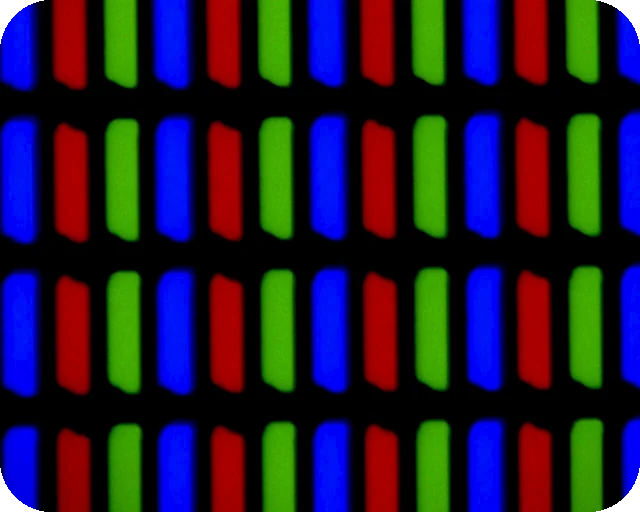 Dead pixel testFull screen colours to spot dead and stuck pixels
 Black screenA full black screen, one clickWhite screenA full white screen, one click
 Refresh rate testYour monitor Hz, measured in the browser
 What is my screen resolutionScreen resolution, browser window size and pixel ratioMonitor size calculatorScreen size in inches, PPI and aspect ratio