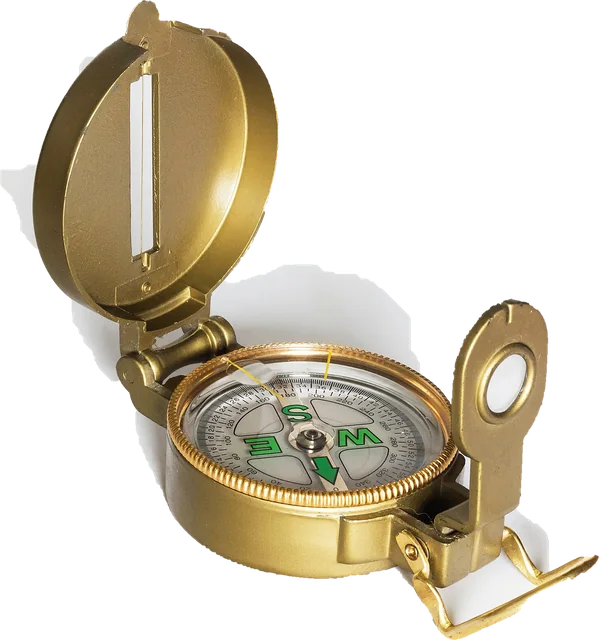
This online compass turns your phone into a digital compass in the browser, with no app to install. Tap Start compass and the page reads the phone's magnetometer: it shows the heading in degrees, the compass point (N, NE, E...) and a compass rose that turns as you turn. It can also show true north: tap Use my location, or type a latitude and longitude, and it adds the magnetic declination for that place, computed on your device from the World Magnetic Model 2025 by NOAA and the British Geological Survey. Use it to answer "which way is north", to check which direction you are facing, to set up a satellite dish roughly or to read a bearing with the lock button. Below: how a phone compass works, how to calibrate it, why it can be wrong, and a declination table for 20 cities.
How does an online compass work?
Your phone has a magnetometer, a tiny sensor that measures the Earth's magnetic field in three directions. The phone combines it with the accelerometer and gyroscope to know which way it is pointing, and the browser passes the result to the page. On iPhone, Safari gives the compass heading directly (and how accurate it thinks it is). On Android, Chrome and Samsung Internet give the phone's absolute orientation, three angles measured against magnetic north, and the page turns them into the direction you face. It uses the top edge of the phone when you hold it flat and the back of the phone when you hold it upright, so both work, and so does anything in between.
The reading is smoothed a little so the number does not jitter, and it follows the screen when you turn the phone sideways. That heading is measured against magnetic north, which is not the north on a map. The difference is the magnetic declination: east declination means the needle points east of true north, so true heading = magnetic heading + declination (east positive, west negative). The declination changes from place to place and slowly year by year, which is why the page needs your location to show true north.
Worked example: true north in Seattle and New York
In Seattle the declination on October 25, 2026 is about 14.9° E. Point the phone so the compass reads 90 degrees magnetic, due east by the needle, and with true north on the page shows about 105 degrees: you are really facing a little south of east. In New York the declination is about 12.5° W, so a magnetic reading of 0 degrees means you face about 348 degrees true, west of north. In London it is only about 1.2° E, so the two norths almost agree there. Over a kilometre of walking, a 12 degree error puts you about 221 metres off course, which is why maps and true north matter.
How to use the online compass: step by step
Step 1: Open the page on your phone
A compass needs a magnetometer, which phones and tablets have and computers almost never do. On a computer, copy the link or share it to your phone.
Step 2: Tap Start compass
On iPhone and iPad, Safari asks for motion and orientation access: tap Allow. On Android nothing is asked. No reading starts before this tap.
Step 3: Hold the phone flat or upright
Hold it flat with the top edge pointing where you face, or upright in front of you like taking a photo. Keep it away from magnets, laptops, speakers and car dashboards.
Step 4: Read the heading
The big number is your heading in degrees and the letters are the compass point. Turn until it reads 0 degrees (N) to face north; 90 is east, 180 south, 270 west.
Step 5: Switch on true north
Tap Use my location, or type a latitude and longitude, and the compass adds the magnetic declination for that place so 0 degrees means true north, the north on maps.
Which way is north?
Start the compass, hold the phone flat in front of you and turn your whole body slowly until the number reads 0 and the letter shows N. The red end of the needle on the rose points the same way. You are now facing magnetic north; switch on true north with your location to face the North Pole instead. If you have no phone signal, the compass still works: the magnetometer does not need a network, only the page has to be loaded once.
Without any sensor at all you can still find north roughly: in the northern hemisphere the sun is due south around solar noon, and at night Polaris sits within about a degree of true north. These are useful checks when a phone compass seems off.
Which direction am I facing? Compass points and degrees
The page answers in one sentence, for example "You are facing northwest: 312 degrees from magnetic north". Degrees run clockwise from north: east is 90, south 180, west 270. The letters use the 16 point compass rose, each point covering 22.5 degrees:
| Point | Name | Centre | Covers |
|---|---|---|---|
| N | North | 0° | 348.75° to 11.25° |
| NNE | North-northeast | 22.5° | 11.25° to 33.75° |
| NE | Northeast | 45° | 33.75° to 56.25° |
| ENE | East-northeast | 67.5° | 56.25° to 78.75° |
| E | East | 90° | 78.75° to 101.25° |
| ESE | East-southeast | 112.5° | 101.25° to 123.75° |
| SE | Southeast | 135° | 123.75° to 146.25° |
| SSE | South-southeast | 157.5° | 146.25° to 168.75° |
| S | South | 180° | 168.75° to 191.25° |
| SSW | South-southwest | 202.5° | 191.25° to 213.75° |
| SW | Southwest | 225° | 213.75° to 236.25° |
| WSW | West-southwest | 247.5° | 236.25° to 258.75° |
| W | West | 270° | 258.75° to 281.25° |
| WNW | West-northwest | 292.5° | 281.25° to 303.75° |
| NW | Northwest | 315° | 303.75° to 326.25° |
| NNW | North-northwest | 337.5° | 326.25° to 348.75° |
True north vs magnetic north
True north (geographic north) is the direction to the North Pole along the surface of the Earth, and it is what maps, GPS and street grids use. Magnetic north is where a compass points: it follows the Earth's magnetic field, whose north pole wanders across the Arctic and is currently drifting towards Siberia. The angle between the two at your location is the magnetic declination (also called magnetic variation). It can be zero, as along a line through parts of the central United States, or more than 20 degrees, as in Alaska, New Zealand or South Africa. Grid north on a map projection is a third, slightly different north that matters only for map work.
This page uses the World Magnetic Model 2025, the model NOAA and the British Geological Survey produce for navigation systems, including the ones in phones and aircraft. It is valid from 2025 to the end of 2029. We evaluate its 90 coefficient pairs on your device; our code matches all 100 of NOAA's official test values to within 0.005 degrees, the rounding of the published values.
Magnetic declination where you are: 20 cities
These values come from the same model the compass uses, for October 25, 2026. Positive (east) means add the declination to a magnetic reading to get true north; negative (west) means subtract it. The last column shows how fast it is changing.
| City | Declination | Change per year | Magnetic north is |
|---|---|---|---|
| Anchorage | 14.0° E | -16.9' | 14.0° east of true north |
| Seattle | 14.9° E | -7.4' | 14.9° east of true north |
| Los Angeles | 11.3° E | -4.7' | 11.3° east of true north |
| Mexico City | 3.9° E | -4.5' | 3.9° east of true north |
| Chicago | 4.2° W | -1.8' | 4.2° west of true north |
| Toronto | 10.1° W | +1.8' | 10.1° west of true north |
| New York | 12.5° W | +2.4' | 12.5° west of true north |
| Sao Paulo | 21.9° W | -3.5' | 21.9° west of true north |
| Reykjavik | 11.0° W | +17.9' | 11.0° west of true north |
| London | 1.2° E | +10.2' | 1.2° east of true north |
| Madrid | 0.7° E | +8.5' | 0.7° east of true north |
| Paris | 2.1° E | +9.0' | 2.1° east of true north |
| Berlin | 5.2° E | +8.1' | 5.2° east of true north |
| Cape Town | 26.8° W | -13.9' | 26.8° west of true north |
| Moscow | 12.2° E | +5.7' | 12.2° east of true north |
| Dubai | 2.2° E | +0.2' | 2.2° east of true north |
| Mumbai | 0.0° | +1.1' | almost exactly true north |
| Tokyo | 7.9° W | -2.3' | 7.9° west of true north |
| Sydney | 12.8° E | +1.3' | 12.8° east of true north |
| Auckland | 20.3° E | +3.6' | 20.3° east of true north |
Change per year is in arcminutes (1/60 of a degree), from the model's secular variation. For your exact spot, use the location button above or NOAA's own calculator linked in the sources.
Compass online on iPhone
Open the page in Safari (or Chrome, which uses the same engine on iPhone) and tap Start compass, then Allow when iOS asks for motion and orientation access. The page then gets the same compass heading as Apple's Compass app, with an accuracy figure in degrees, which it shows under the reading. If the heading looks wrong, check Settings, Privacy and Security, Location Services, System Services, Compass Calibration. Apple's own Compass app can also show true north (the Use True North switch is in the Settings app under Compass, or Apps, Compass on recent iOS), so it is a good way to cross-check this page.
Digital compass on Android
Use Chrome, Edge or Samsung Internet. These give the page absolute orientation, measured against magnetic north, and no permission prompt is needed. Some other browsers give only relative angles, which start from wherever the phone was when the page loaded; the page tells you if that happens rather than inventing a north. If the reading is off, calibrate with a figure 8. Google Maps also shows its compass beam and asks you to calibrate when it thinks the compass is inaccurate.
How to calibrate your phone compass
- Move away from metal: steel tables, laptops, speakers, car dashboards and magnetic phone mounts.
- Take off a case or wallet cover with a magnet in it.
- Hold the phone and draw a large figure 8 in the air three or four times, turning the phone so it points in every direction.
- Watch the accuracy line on iPhone: it should drop to a small number of degrees.
- Check against something you know: a street that runs north to south on a map, or Apple's Compass app with true north on.
Why is my compass wrong?
- Magnets and metal nearby. Magnetic cases, car mounts, MagSafe wallets, laptops, speakers and steel structures bend the field the phone measures. Indoors, the steel in walls and floors often turns a heading by many degrees.
- It needs calibrating. After a magnet has been close, the sensor offset changes until you calibrate with a figure 8.
- Magnetic vs true north. If a map disagrees by a constant amount, it is the declination: switch on true north.
- Near a magnetic pole. In the far north of Canada, Greenland, Antarctica and parts of Siberia the horizontal field is so weak that any compass becomes unreliable. The page warns you there.
- In a car, train or plane. The vehicle's metal and electric motors upset the sensor. Use GPS direction of travel instead.
Does an online compass work on a laptop or computer?
No, and an honest page should say so. Desktop computers and nearly all laptops have no magnetometer, so the browser has nothing to report. Some 2 in 1 Windows tablets do have one, and Chrome on those can work. On a computer, this page shows the link to open it on your phone, with a copy and a share button, instead of a fake needle.
Compass for solar panels, a satellite dish or a room direction
For any job where the direction matters, set true north first, then lock the heading with the phone held against the edge of the panel, dish or wall. Solar panels in the northern hemisphere usually face true south (180 degrees), and satellite dish alignment tools give the azimuth in true degrees. Do this away from the metal frame and roof fittings, and treat the phone as a quick check, not a surveying tool.
Why we built this online compass
Many of the online compass pages we tried show a needle and little else: no word on whether the reading is magnetic or true, no calibration help, and on a laptop a needle that sits still or spins as if it were measuring something.
Nitin Raja, who builds this site, tested a lot of these pages before building this one, and kept what people need: a heading in plain words, a calm start with nothing running until you tap, true north that is computed rather than guessed, and a straight answer when a device has no compass.
What this online compass measures
- Heading: on iPhone, the compass heading iOS gives Safari (webkitCompassHeading) and its accuracy; on Android, the absolute orientation angles (deviceorientationabsolute, or deviceorientation marked absolute), turned into the direction you face from the phone's top edge and back. Readings are smoothed and follow the screen rotation.
- True north: the declination from the World Magnetic Model 2025 (NOAA NCEI and BGS) for your latitude and longitude, at sea level, for today's date, computed on your device. The model is valid until the end of 2029.
- Weak field warning: where the model's horizontal field is below 6,000 nT (and below 2,000 nT, NOAA's blackout zone), the page warns that compasses are unreliable.
It does not measure magnetic interference (browsers do not give pages the raw magnetometer), it does not use GPS for direction of travel, and nothing is uploaded. Sources were last checked October 25, 2026.
Why this online compass is different
- True north, computed. The full World Magnetic Model runs on your device, checked against NOAA's test values.
- Honest on computers. No fake needle: a clear message and a link to open the page on your phone.
- Nothing on load. Sensors start only after Start, location only after its own button.
- Plain answer. "You are facing northwest: 312 degrees", plus a lock to hold a bearing.
- Calibration help and the iOS accuracy figure, shown, not hidden.
| This online compass | Typical compass online page | |
|---|---|---|
| True north | Yes, World Magnetic Model 2025 on your device | Rarely; usually magnetic only, often unstated |
| On a laptop | Says there is no compass, offers the phone link | Often a still or spinning needle |
| Sensor start | Only after a tap | Varies |
| Accuracy shown | iOS accuracy figure and calibration hints | Rarely |
| Location | Optional, never uploaded, or typed by hand | Varies |
| Sources | NOAA, BGS, W3C, Apple and Google linked | Rarely |
How accurate is this online compass?
- The heading is only as good as your phone's magnetometer. Phone compasses are often off by several degrees, and much more indoors or near metal. On iPhone the page shows the accuracy iOS reports; Android browsers do not report one.
- The declination from the World Magnetic Model is far more accurate than the phone sensor in most places, but local rocks and buildings can bend the field, and the model gets less accurate near the magnetic poles.
- It is not a navigation instrument. Do not rely on it where a wrong direction is dangerous: at sea, in the mountains or in the air.
Sources
Checked on October 25, 2026:
- NOAA NCEI: The World Magnetic Model (WMM2025 coefficients and technical report)
- British Geological Survey: The World Magnetic Model
- NOAA NCEI: Magnetic field calculators (check a declination yourself)
- W3C: Device Orientation and Motion specification
- MDN Web Docs: deviceorientationabsolute event
- MDN Web Docs: DeviceOrientationEvent.requestPermission()
- Apple: Use the compass on iPhone (iPhone User Guide)
- Google Maps Help: Find and improve your location's accuracy (compass calibration)
The World Magnetic Model is a joint product of the United States' National Geospatial-Intelligence Agency and the United Kingdom's Defence Geographic Centre, produced by NOAA NCEI and the British Geological Survey. Its coefficients are public domain; valid from 2025 to 2030.
Online compass FAQ
Does my phone have a compass?
Almost every smartphone has a magnetometer, the sensor a compass needs, and this page reads it through the browser. Tap Start compass: if a heading appears, it works. iPhone also has Apple's Compass app, and on Android the blue beam in Google Maps uses the same sensor.
Why does the online compass not work on my laptop?
Desktop computers and nearly all laptops have no magnetometer, so there is nothing for a web page to read. Open the page on your phone instead: copy the link or use the share button on this page.
How accurate is an online compass?
It is exactly as accurate as your phone's compass sensor, which is often off by several degrees and more indoors or near metal. Safari on iPhone reports an accuracy figure, which the page shows. For hiking or navigation use a real baseplate compass and a map.
What is the difference between true north and magnetic north?
True north is the direction of the North Pole, the north on maps. Magnetic north is where a compass needle points, and the angle between them is the magnetic declination. This page works out the declination for your location from the World Magnetic Model 2025 and can show either.
How do I calibrate the compass on my phone?
Move the phone slowly in a figure 8 a few times, turning it through every direction, away from metal and magnets. On iPhone, also check that Compass Calibration is on under Settings, Privacy and Security, Location Services, System Services.
Why does iPhone ask for motion and orientation access?
Since iOS 13, Safari only shares motion and orientation data with a page after you allow it, and the request has to come from a tap. That is why nothing runs until you press Start compass.
Do you store my location?
No. Your location is asked for only when you tap Use my location, and it is only used on your device to compute the declination. It is never sent to us or anyone else. If you type a location, it is kept in the page link so you can share it.
Can I use this compass for navigation?
Use it to find a direction quickly, not for safety. A phone compass can be thrown off by a case magnet, a car or a steel railing without warning, and a battery can run out. In the outdoors, carry a real compass and a map.
Related tools
 Bubble levelSpirit level on your phone: surface and edge, degrees and percent slope
 Gyroscope testPhone and tablet gyroscope, accelerometer and tilt, live
 Vibration testMake your phone vibrate: patterns to test the vibration motor (Android)
 Touch screen testMulti touch points and dead spots on phones and tablets
 Dead pixel testFull screen colours to spot dead and stuck pixels
 Sound testSpeaker and headphone test: left, right, sweep and bass