Fill your screen with any color
This page turns your whole display into one color, any color you like, in one click. Use the color picker, type a HEX code (#FF8800 or the short form #F80), or set red, green and blue from 0 to 255 with the sliders. The 16 presets cover all the usual test and light colors, and every color you use is kept under Recent colors in this browser, so you can come back to it later. The address bar keeps the color too: copy the link and it opens the same shade on another device.
It works as a full screen color generator online: this website runs in any browser, with no app to install. A screen color change takes one click, and any shade, from a blank color screen in white or black to cyan (#00FFFF), beige (#F5F5DC) or a mid brown (#8B4513), is one HEX code away. The Picker opens your browser's color picker, which on a Mac is the system color wheel.
What people use a color screen for
Testing a display
Single colors make faults easy to see. Red, green and blue each light only one subpixel, so a dead or stuck subpixel stands out. White shows dust and dark pixels; black shows bright pixels and backlight bleed. Mid grey is good for spotting uneven brightness, banding and the dirty screen effect on large TVs. For a guided check with a defect map you can send for a return, use the dead pixel test.
Gray screen test
A mid gray screen (#808080, the Mid grey preset) is the most revealing color on large panels. Move your eyes across it and look for darker vertical bands, blotches or a smudged look: that is the dirty screen effect, common on big TVs. Then switch to Dark grey (#1A1A1A) in a dim room to see uneven backlight or a colored tint on a PC monitor or laptop.
Matching a brand or design color
Type the exact HEX from a style guide and see it full screen on the device your audience uses. A color that looks right on a calibrated monitor can look different on a phone or a cheap laptop panel, and a full screen view makes that obvious.
Light: reading, calls and mood
A screen is a soft light source. Warm white or amber gives a gentle evening light; for video calls, the ring light page lets you set a color temperature in kelvin and draws a ring around a dark center. Bright colors on a few spare phones or tablets make cheap party light. Set Turn off after so it ends on its own; while the color shows full screen, the page asks the browser to keep the screen awake.
Backdrops for photos and video
Chroma key green and chroma key blue are in the presets for keying small subjects in OBS, Premiere or DaVinci Resolve. Pastels make clean backgrounds for product photos.
Download a solid color image or video
Pick any color, then use the Download panel to save it as a file. Download PNG makes a solid color image at Full HD, QHD, 4K, a phone size or a custom size up to 7680 pixels per side, which is useful as a wallpaper, a slide or a background plate in a video edit. Make video records 10, 30 or 60 seconds of that color at 1920 x 1080 and 30 fps as a WebM video; it plays in Chrome, Edge, Firefox and VLC but may not play on every phone or TV. The file name includes the HEX code so you can find the shade again.
Slow color cycle
Press Cycle colors to step through a rainbow, warm, cool or pastel set, or through your own recent colors. You choose how often it changes, from once a second to once a minute, and the colors fade into each other by default. The cycle is deliberately slow: it never changes faster than once per second, whatever you choose, and it does not flash. It is a live rainbow screen rather than a GIF or a video, so it runs for as long as you like. If you are sensitive to changing light or have photosensitive epilepsy, leave it off. In full screen, the left and right arrow keys step through the colors by hand.
Tips for accurate color
- Turn off Night Light (Windows), Night Shift and True Tone (Mac, iPhone), f.lux and eye care modes. They shift every color warmer.
- Use the monitor's sRGB or Standard mode to see colors as most screens show them. Vivid and Game modes push saturation.
- This page cannot change your screen brightness. Use the brightness keys or the monitor menu.
- On iPhone the color fills the browser window instead of going full screen; tap to show the Exit button.
One-click pages for common colors: white, black, red, green, blue, yellow, orange, pink and purple.
Questions
How do I fill my screen with one color?
Pick a color above with the color picker, a HEX code, the RGB sliders or a preset, then press "Go full screen". Press Esc, double click or tap Exit to leave.
Can I enter an exact HEX or RGB value?
Yes. Type a HEX code such as #FF8800 or #F80 in the HEX box, or set red, green and blue from 0 to 255. The screen shows exactly that value; how it looks still depends on your panel and its color settings.
How do I share a color?
The address bar keeps the color you picked, for example testyoursetup.com/color-screen/#00B140. Copy the link and the same color opens for whoever you send it to.
How fast does the color cycle change?
Never faster than one color per second, with a soft fade between colors by default. It does not flash. If changing light bothers you or you have photosensitive epilepsy, leave cycling off.
Where are my recent colors saved?
In your own browser only (local storage), so they are there next time on the same device. Nothing is uploaded. Clearing site data removes them.
Can I use the color screen as a light?
Yes. Warm colors such as orange and amber make a soft evening light, white or the ring light page make a fill light for video calls, and bright colors work as mood or party light. Set the timer so it turns off by itself.
Why does my color look different on another screen?
Every panel has its own color gamut and settings, and Night Light, Night Shift or True Tone shift colors. For comparing screens, turn those modes off and use the sRGB mode if the monitor has one.
How do I change the screen color on my PC or laptop?
This page fills the screen with a color but does not change your system settings. On Windows, open Settings, System, Display for Night light and the color profile, or Personalization, Colors for the theme and dark mode; on a Mac, use System Settings, Displays. A Chromebook can invert screen colors under Settings, Accessibility, or with Ctrl + Search + H.
How do I color correct or improve my laptop screen color?
Turn off Night Light, True Tone and vivid or eye care modes first, then calibrate. Windows has Calibrate display color (type dccw in the Start menu) and a Mac has the Display Calibrator Assistant under Displays, Color profile, Customize. Both work by eye; accurate color correction needs a hardware colorimeter.
How can I check my mobile screen color accuracy?
You cannot measure it exactly without a colorimeter, but you can compare. Open the same HEX color full screen on the phone and on a monitor you trust, side by side, and look at white, grey and skin tones: a blue or green tint in white or grey is the most common fault. Turn off Night Shift, True Tone and vivid display modes first.
Can I download a color as an image or video?
Yes. The Download panel saves the color in the preview as a PNG at 1920 x 1080, 4K, a phone size or any custom size up to 7680 pixels per side, for example as a solid color wallpaper. Make video records a 10, 30 or 60 second video of the color in WebM format. Both are made in your browser and nothing is uploaded.
More tests
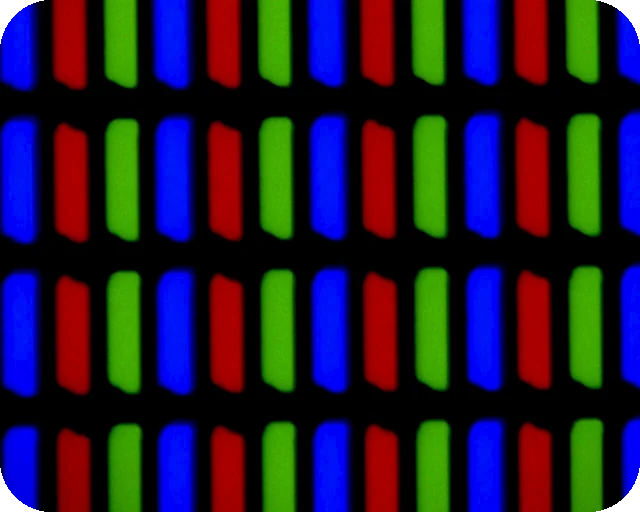 Dead pixel testFull screen colours to spot dead and stuck pixels
 Black screenA full black screen, one clickWhite screenA full white screen, one click
 Refresh rate testYour monitor Hz, measured in the browser
 What is my screen resolutionScreen resolution, browser window size and pixel ratioMonitor size calculatorScreen size in inches, PPI and aspect ratio