How to set up the fake blue screen prank
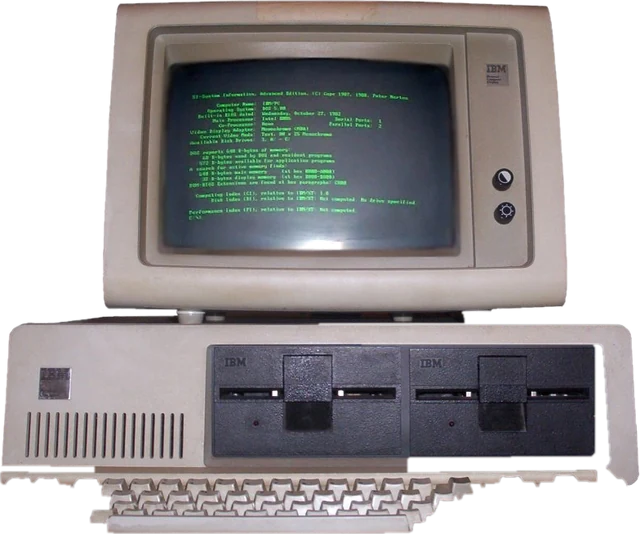
- Choose a style. Modern is the sad face screen most people know from Windows 8, 10 and 11. Classic text is the wall of white on blue text from older PCs running Windows XP, Vista or 7. Retro is the short grey label screen from the nineties.
- Pick a stop code. The serious ones look real. The silly ones, like COFFEE_LEVEL_CRITICAL, give the joke away on a second look, which is half the fun. Or create your own.
- Set the counter. Fast finishes in about 20 seconds, which is good for a video. "Gets stuck" freezes at a random number and never moves again.
- Press Go full screen on the target computer. The counter starts from 0% and the mouse pointer hides.
- Press Esc, or click the top right corner, to end it.
The modern screen comes in blue, black and green. Blue is the familiar one. Black matches some newer PCs, and green matches test builds, which makes it look extra believable on a developer's machine.
Use it as a screen break
A crash screen is the fastest way to stop people asking "can you just look at this?". Put it up while you take a break, and nobody expects you to work on a computer that is collecting error info. It also makes a good backdrop for IT training sessions, tech videos and plays where a character's computer dies on stage.
Fun ideas
- Run the retro screen on a brand new laptop. The contrast is the joke.
- Use a custom stop code with your friend's name, then watch them read it twice.
- On a TV or projector before a talk, show the blue screen and then reveal your first slide.
Keep it a joke, not a scam
Fake error screens and fake virus screens are a favourite tool of tech support scammers, so be clear when you prank someone. Never add a phone number, a payment request or a password box to a fake crash, and never use one to make someone think they need to pay for a fix. A real blue screen never asks you to call anyone or pay anything; it only restarts the computer. If a page claiming to be a crash asks for money, it is a scam.
If you are here because you saw a real blue screen, note the stop code, then update your graphics and chipset drivers and run a memory test. Repeated crashes with different codes often point to failing memory or a disk problem.
More prank screens
More on this site: try the fake update screen for an update that never ends, the broken screen prank for cracked glass, the hacker typer or the AI agent screen.
Questions
How do I show a fake blue screen of death?
Open this page in any browser, on Windows 10, Windows 11 or any other computer. Pick the modern sad face screen, the classic text screen or the retro screen, choose a stop code, then press "Go full screen". The percentage counts up slowly like a real crash report, and the mouse pointer hides.
How do I exit the fake BSOD?
Press Esc. You can also click or tap the top right corner of the screen, where a small X button appears when you point at it.
Is it safe? Does it do anything to my PC?
It is safe and does nothing to your computer. It is a web page with text on a coloured background. It does not crash, restart or change anything, and closing the tab ends it.
Can I write my own error message?
Yes. Choose "Write your own" in the stop code list and type anything. Letters and numbers are turned into the capitalised, underscored style real stop codes use, so "coffee empty" becomes COFFEE_EMPTY.
Is the QR code real?
No. The square is random noise drawn fresh each time, with none of the corner markers a scanner needs, so it cannot be scanned and links nowhere.
What is a real blue screen of death?
It is the screen Windows shows when the system hits an error it cannot recover from. It shows a stop code, collects a crash report and restarts. Frequent real blue screens usually point to a driver, memory or disk problem.
Is this a BSOD simulator?
Yes. It works as an online BSOD simulator and fake BSOD generator: pick the Windows 10 and 11 sad face screen, the Windows 7 era text screen or the retro screen, then set a stop code and a counter. It is a website, so there is nothing to download, and it runs on Windows, a Mac or a Chromebook.
How do I make a fake blue screen of death with cmd or a batch file?
The usual trick is a .bat file that runs color 1F to turn the Command Prompt window white on blue, then uses echo to print crash text. It looks far less real than a full screen page. Avoid batch files or exe downloads that promise a real-looking crash: some kill a system process to cause a genuine blue screen, which can lose unsaved work, and some are malware.
Is there a fake kernel panic screen for Mac or Linux?
Not yet. This page only draws Windows-style crash screens. On a Mac or Linux computer the black modern screen or the retro screen still works as a prank, but it will not look like that system's own crash.