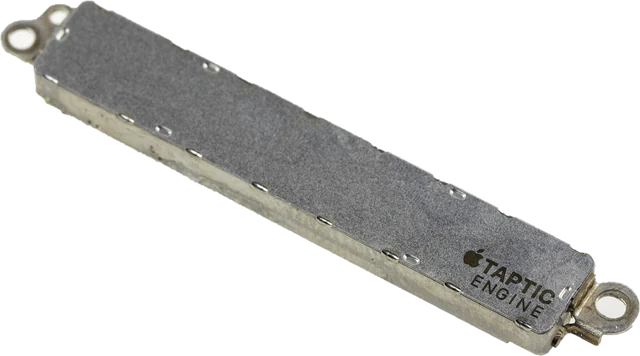
This phone vibration test makes your phone vibrate from the browser so you can check the vibration motor: tap Short buzz, Long buzz, Double tap, Pulse, Heartbeat or SOS, or type your own pattern. It is the quickest answer to "how do I make my phone vibrate" and "does my vibration motor still work", with no app to install. It works on Android in Chrome, Edge and Samsung Internet. It cannot work on iPhone, and the page says so straight away instead of pretending: Safari has no way for a website to vibrate the phone, so for an iPhone this page shows the Settings path that plays its vibration patterns instead. Below: how phone vibration works, what each pattern tests, a checklist for a phone that will not vibrate, and Samsung, Pixel and iPhone settings.
How does the phone vibration test work?
Phones vibrate with a small motor: either a spinning motor with an off-centre weight (an eccentric rotating mass) or a linear actuator that moves a mass back and forth, which is what Apple calls the Taptic Engine and many newer Android phones use. Browsers on Android give web pages the Vibration API: a page passes a list of times in milliseconds, alternating on and off, and the phone runs the motor to that pattern. The browser only allows it right after you tap the page, so a site cannot buzz your phone by itself.
The API has no strength setting: a pattern can only switch the motor on and off. How strong it feels is up to your phone's settings and hardware. That is why this test asks you whether you felt it: the browser does not report back whether the motor actually moved.
Worked example: the SOS pattern
SOS in Morse code is three short, three long, three short. The tool uses 150 ms for a dot and 450 ms for a dash, 150 ms between signals and 450 ms between letters: 17 steps, 4.05 seconds in all, with the motor running for 2.25 seconds of that. A motor in good shape follows all nine signals; one that is failing often skips the short ones or keeps buzzing through the gaps.
How to test your phone vibration: step by step
Step 1: Open the page on an Android phone
Use Chrome, Edge or Samsung Internet. iPhone browsers and Firefox cannot vibrate from a web page, and computers have no motor; the box at the top says which case you are in.
Step 2: Turn vibration on in settings
Vibration has to be allowed in the phone's Sound and vibration settings, and battery saver can switch it off.
Step 3: Hold the phone and tap a pattern
Start with Long buzz: a full second is easy to feel. The timeline shows when the motor should be running.
Step 4: Answer: did it vibrate?
Tap It vibrated or Nothing happened for a verdict and the next step.
Step 5: Try the patterns
Pulse and SOS start and stop the motor many times. A healthy motor follows every step cleanly, with no rattle and no missed pulses.
Vibration patterns: what each one tests
Each row shows when the motor runs (coral) over time, drawn from the exact lists the tool sends to the browser.
| Pattern | What it checks | Steps (ms) | Length | Motor on |
|---|---|---|---|---|
| Short buzz | One 0.2 second buzz, like a key press. | 200 | 0.20 s | 0.20 s |
| Long buzz | One full second, the easiest to feel. | 1000 | 1.00 s | 1.00 s |
| Double tap | Two quick taps, like a notification. | 80, 120, 80 | 0.28 s | 0.16 s |
| Pulse | Five even pulses: does the motor start and stop cleanly? | 100, 100, 100, 100, 100, 100, 100, 100, 100 | 0.90 s | 0.50 s |
| Heartbeat | Three double beats with pauses. | 80, 120, 80, 600, 80, 120, 80, 600, 80, 120, 80 | 2.04 s | 0.48 s |
| SOS | Three short, three long, three short (Morse SOS). | 150, 150, 150, 150, 150, 450, 450, 150, 450, 150, 450, 450, 150, 150, 150, 150, 150 | 4.05 s | 2.25 s |
How to make my phone vibrate
On Android: open this page in Chrome, Edge or Samsung Internet, hold the phone and tap Long buzz. If you want the phone to vibrate for calls and messages, turn on vibration in Settings, Sound and vibration (Sounds and vibration on Samsung), and set the ring mode to vibrate with the volume key or the sound panel. On iPhone, flip the Ring/Silent switch or use the Action button for silent mode; whether it vibrates in silent mode is set under Settings, Sounds and Haptics, Haptics.
Why can't my iPhone vibrate from a website?
Because Safari does not support the Vibration API, and Apple requires every browser on iPhone and iPad to use Safari's engine, so Chrome or Firefox on iPhone cannot vibrate either. This is a platform rule, not a fault in your phone. A few sites rely on an undocumented trick with a toggle switch control in recent iOS versions; it is not an official feature and may stop working, so this page does not use it.
How to test iPhone vibration and haptics in Settings
- Open Settings, Sounds and Haptics, then Ringtone, then Haptics (called Vibration on older iOS).
- Tap any pattern: the iPhone plays it straight away. Tap Create New Vibration and tap the screen to record your own; it vibrates as you tap.
- If nothing happens, check Settings, Accessibility, Touch, Vibration: when that switch is off, the iPhone does not vibrate at all.
- Also check Settings, Sounds and Haptics, System Haptics, which controls the small taps you feel on controls.
Phone not vibrating? Checklist for Android
- Vibration is off. Settings, Sound and vibration, Vibration and haptics (on Samsung: Sounds and vibration, Vibration intensity and System vibration). Turn on vibration for calls, notifications and touch.
- Battery saver or power saving mode. Some phones reduce or switch off vibration to save power.
- Do Not Disturb or a focus mode. These can silence vibration for calls and notifications (this page should still buzz).
- The browser. Firefox removed its Vibration API in version 129. Use Chrome, Edge or Samsung Internet for this test.
- Restart the phone and try Long buzz again.
- Still nothing with vibration on, in Chrome: the motor or its connector may be faulty, often after a drop or water damage. A repair shop can test it.
Samsung vibration test
On a Samsung Galaxy, besides this page, the Samsung Members app has a phone diagnostics section that includes a vibration check. On many Galaxy models the dialer code *#0*# opens a hardware test menu with a Vibration button too; it is a service menu, so leave it with the back key and do not change anything else there. Vibration strength is under Settings, Sounds and vibration, Vibration intensity.
Pixel and other Android phones
On Pixel and most phones close to stock Android, vibration is under Settings, Sound and vibration, Vibration and haptics, with switches for ring, notification, alarm and touch feedback, and on many models a strength setting. Xiaomi, OnePlus and Motorola use similar names under Sound and vibration.
Custom vibration pattern
Under More options, type a pattern as on, off, on, off... in milliseconds, for example 300, 100, 300, 100, 800. The page checks it (whole numbers up to 5,000 ms, at most 50 steps and 10 seconds in all), plays it, and keeps it in the page link so you can share it with someone who has an Android phone.
Can a website vibrate my phone for 5 minutes?
Not this one, on purpose. The point of a vibration test is to feel the motor, which takes seconds, so patterns stop after at most 10 seconds. Browsers also stop vibration when you switch tabs or the screen turns off, so a web page is a poor way to make a phone vibrate for minutes. If you need a long vibration, use an alarm or ringtone with vibration in your phone's own settings.
Controller vibration test
Game controllers rumble through the Gamepad API, not the phone's Vibration API. To test a DualSense, Xbox or other pad, use the controller test, which has a vibration section with strong and weak motor tests in Chrome and Edge, or the Xbox controller test for trigger rumble.
Why we built this vibration test
Most vibration test pages we tried show a Vibrate button on every device, including iPhones and laptops, where nothing can happen, and leave people thinking their phone is broken. Few say which browsers support vibration at all.
Nitin Raja, who builds this site, tested a lot of these pages before building this one, and kept what people need: a clear answer about your browser before you tap anything, patterns that each test something, a simple "did it vibrate?" verdict, and the real Settings paths for iPhone and Android.
What this vibration test does and measures
- Support check: whether this browser has the Vibration API (navigator.vibrate), whether it is an iPhone or iPad, and whether it is likely a computer without a motor.
- Patterns: the lists in the table above, sent with navigator.vibrate after your tap; a new pattern cancels the previous one, and Stop sends 0.
- Refusals: if the browser returns false (no tap yet, or the page is not allowed to vibrate), the page says so.
It does not measure vibration strength or motor speed: browsers do not report them, and nothing about the motor comes back to the page. Whether the phone vibrated is your check. Nothing is uploaded. Sources were last checked October 25, 2026.
Why this vibration test is different
- Honest about iPhone and computers, before you press anything.
- Patterns that test something: start and stop response (Pulse, SOS), steady run (Long buzz), feel (Double tap).
- A timeline you can see, so you know when it should be buzzing.
- A verdict with next steps, and the Settings paths for iPhone, Samsung and Pixel.
- Safe limits: at most 10 seconds per pattern; no endless buzzing.
| This vibration test | Typical vibrate page | |
|---|---|---|
| iPhone | Says it cannot work and gives the Settings test | Often a button that does nothing |
| Computers | Says there is no motor | Same button, no message |
| Patterns | 6 presets and a checked custom pattern | Often one or two |
| Feedback | Timeline and a did-it-vibrate verdict | Rarely |
| Length | Capped at 10 seconds | Varies, some run for minutes |
Which browsers can vibrate a phone?
| Browser | Can a page vibrate the phone? |
|---|---|
| Chrome, Edge, Samsung Internet, Opera on Android | Yes, after a tap on the page |
| Firefox on Android | No: Firefox removed the Vibration API in version 129 |
| Safari, Chrome and every other browser on iPhone and iPad | No: Safari's engine has no Vibration API |
| Any browser on a laptop or desktop | No motor to vibrate |
Limits
- The page can tell the browser to vibrate; it cannot confirm the motor moved. Your hand is the test.
- Timing is in the phone's hands: very short steps (under about 20 ms) may not be felt on some motors.
- Battery saver, Do Not Disturb and some manufacturer settings can block or weaken vibration from websites.
Sources
Checked on October 25, 2026:
- W3C: Vibration API (implementation status: Chromium browsers; Firefox removed it in version 129)
- MDN Web Docs: Navigator.vibrate()
- Can I use: navigator.vibrate
- Apple: Change iPhone sounds and vibrations
- Apple: Adjust how iPhone responds to your touch (Vibration switch)
- Android Help: Change volume, sound and vibrate settings
- Android Accessibility Help: Change vibration settings
Vibration test FAQ
How can I make my phone vibrate?
On an Android phone, open this page in Chrome, Edge or Samsung Internet and tap a pattern: Long buzz vibrates for one second. If nothing happens, check that vibration is turned on in Settings, Sound and vibration, and that battery saver is off.
Why can't my iPhone vibrate from this page?
Safari has no Vibration API, and every iPhone browser uses Safari's engine, so no website can vibrate an iPhone. To test its motor, go to Settings, Sounds and Haptics, Ringtone, Haptics (Vibration on older iOS) and pick or create a pattern: the phone plays it as you tap.
Can a website vibrate my phone for 5 minutes?
Not here: this test limits a pattern to 10 seconds, which is all you need to check the motor, and browsers stop vibrating when you switch tabs or the screen locks. For a long vibration, use your phone's own alarm or ringtone settings.
How do I know if my vibration motor is broken?
Turn vibration on in settings, hold the phone and play Long buzz and Pulse. If there is no buzz at all, or only a rattle, while other phones vibrate with this page, the motor or its connector may be faulty. Restart the phone first; a repair shop can test and replace the motor.
Why does my phone vibrate weakly?
Check the vibration strength (Vibration intensity on Samsung, Vibration and haptics on Pixel). Thick cases and soft surfaces dampen it. A motor that has become weak or noisy over time may need replacing.
Does the vibration test work on a laptop or tablet?
Laptops and desktops have no vibration motor, so nothing happens even where the browser supports vibration. Most Android tablets have no motor either; some do. iPads cannot vibrate at all.
Can I test my controller vibration here?
This page vibrates phones. For a game controller, use the controller test: it plays rumble on the pad through the Gamepad API in Chrome and Edge.
Related tools
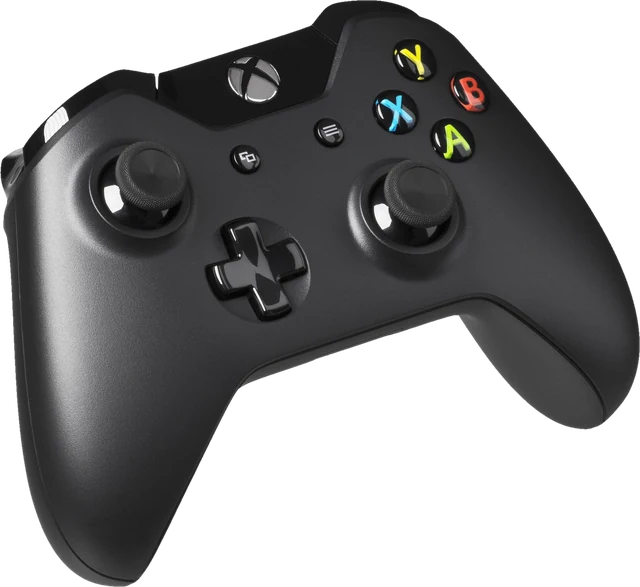 Controller testButtons, sticks, triggers and vibration for any gamepadXbox controller testXbox pad buttons, sticks, triggers and rumble
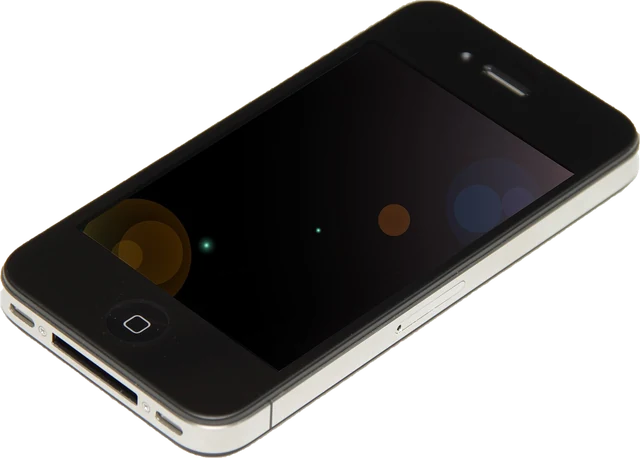 Gyroscope testPhone and tablet gyroscope, accelerometer and tilt, live
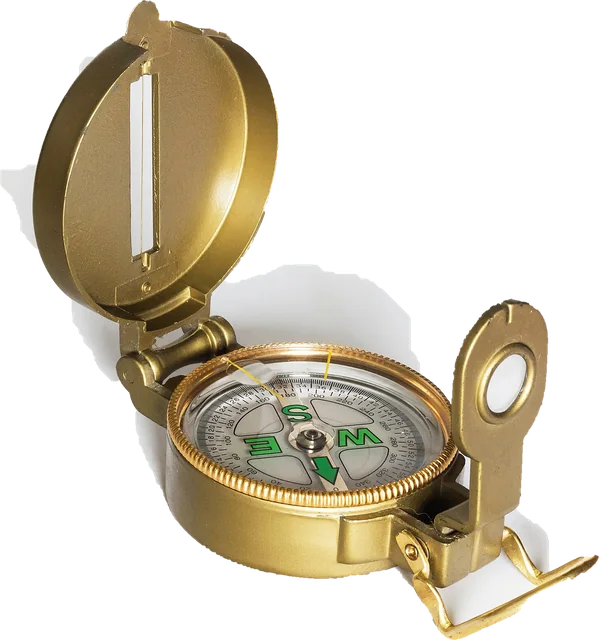 Online compassDigital compass on your phone, with true north for your location
 Bubble levelSpirit level on your phone: surface and edge, degrees and percent slope
 Touch screen testMulti touch points and dead spots on phones and tablets