A ring light from the screen you already have
A webcam needs light on your face. Most home offices have the light behind or above you, so the camera turns your face grey and grainy. This page turns a laptop, monitor, tablet or phone into a soft light source in front of you. Pick Ring for the classic ring light look with a round catchlight in your eyes, Frame for a band of light around the edges, or Full panel for a plain white light online that gives the most light. Set the warmth from 2700 K (warm, like a table lamp) to 6500 K (cool daylight), dim it if it is too strong, and press Go full screen.
Zoom lighting tips and tricks: a five step guide
- Use a second screen if you can. Open this page on a tablet, an old phone or a second monitor and place it just behind or beside your webcam, facing you. On a single laptop, keep the call on one half of the screen and this page on the other half, in Full panel mode, without going full screen.
- Put the light in front, slightly above eye level. Light from below looks spooky; light from the side makes half your face dark. About 30 to 60 cm away works for a screen.
- Turn the screen brightness to maximum. Then use the Brightness slider here only if the light is too strong.
- Match the room. Under warm lamps use about 3000 to 3500 K; next to a window in daytime use 5000 K or more. Mixed colors make skin look blotchy.
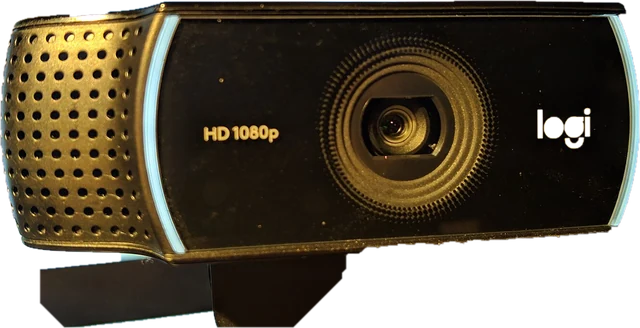
- Check the result in the webcam test, which also shows your real camera resolution and frame rate. More light often brings back a frame rate the camera dropped in the dark.
Settings in Zoom, Teams and Google Meet
Each app also has a software brightness fix that works well together with a real light source:
- Zoom: Settings, Video, turn on Adjust for low light and set it to Auto or Manual.
- Microsoft Teams: Settings, Devices, then under the camera turn on Adjust brightness. Soft focus smooths skin a little.
- Google Meet: Settings, Video, turn on Adjust video lighting.
- Mac: in a call, open the Video Effects menu in the menu bar and try Studio Light (Apple silicon Macs).
Software brightening adds noise in a dark room. A real light, even a screen, gives a cleaner picture.
A Zoom lighting setup for any budget
Most bad Zoom lighting comes from one of three things: a bright window behind you, a single ceiling light that leaves shadows under your eyes, or a laptop screen as the only light. You do not need perfect gear to create proper lighting: the right light for Zoom meetings mostly comes from how you arrange the lights you already have. Our recommendations, cheapest first:
- Free, DIY Zoom lighting: turn your desk so you face the window, or point a desk lamp at a pale wall behind your screen so the light bounces back softly.
- A second screen: open this page on a tablet, an old phone or a spare monitor next to the webcam. It works the same with a laptop, a desktop computer or an iMac.
- A Zoom lighting kit: a small LED panel or ring light that clips onto a laptop or stands on the desk, with adjustable warmth, gives several times more light than any screen.
A professional Zoom lighting setup adds two more ideas: a weaker fill light on the other side of your face, and a little light on the background so you do not sit in a dark cave. Two free hacks help with every setup: raise the laptop so the camera is at eye level, and keep bright windows out of the frame.
Online classes, teaching and short videos
For online teaching or an online class, prop this page up on a tablet behind the webcam so your face stays lit while you share slides on the main screen. For TikTok and other selfie videos filmed on a phone, the phone screen is busy with the camera view, so open the light on a second device, such as a laptop or tablet, facing you. You can also treat the page as a ring light simulator: try warmth and ring size here to see what a real LED ring light would change in your picture before you decide whether to buy one.
Selfies and makeup
Press Show my camera and your camera appears mirrored in the middle of the ring, like a lit mirror. Warm settings flatter skin in the evening; 5000 K shows makeup colors closest to daylight. The camera is only used when you press the button, the video never leaves your browser, and it stops when you press it again, switch tabs or leave the page. Turn it off before you join a call, because on Windows most webcams work in only one app at a time.
Honest limits
A screen is a much weaker light than an LED ring light: fine at arm's length, not enough to light a room. Laptop screens at 300 to 500 nits are bright enough for your face; a phone at full brightness is a small but useful key light. A web page cannot raise your screen brightness or switch off auto-brightness, so do both in your system settings. Night Light, Night Shift and True Tone shift the warmth you set, so turn them off for the call.
Need one plain color instead? Use the white screen for a neutral light, the orange screen or yellow screen for a warm light for reading, or pick any shade on the color screen, which also makes a soft ambient light or slowly cycles through bright neon party and disco colors without flashing. For a dim night light that keeps your night vision, use the red screen.
Questions
Does an online ring light really work?
Yes, as a soft fill light at close range. A laptop or monitor at full brightness lights your face from about 30 to 60 cm away and lifts a dark webcam picture. It is weaker than a real LED ring light, so it helps most in a dim room or next to a window that is too bright.
How do I use the ring light on the same screen as my Zoom call?
Full screen covers the call, so on one screen do not go full screen. Put the call window on one half of the screen and this page, with Full panel mode, on the other half. A second device works better: open the page on a tablet, phone or second monitor behind your webcam.
How do I get good lighting for Zoom calls?
Face your main light instead of sitting with it behind you. Put a window, a lamp or a screen light in front of you, just above eye level and close to the webcam, and switch off a bright light or close the blind behind you. Check the picture in the webcam test or a test call before the meeting starts.
What is the best lighting for a Zoom meeting?
Soft, even light from the front. A window you face during the day is the best free light; in the evening a lamp or LED light behind your screen does the same job. A screen light like this one is a good fill light at arm's length, but it is weaker than a real ring light, so use it to improve a dim picture rather than to light a dark room.
Where should lighting be for Zoom?
In front of you, slightly above eye level and close to the line of the camera. Put the main light behind or just beside your webcam, or up to about 45 degrees to one side for a little shape on your face. Avoid light from below, which looks spooky, and a bright window behind you, which turns you into a silhouette.
How do I adjust or fix the lighting in Zoom itself?
In the Zoom app open Settings, then Video, and turn on Adjust for low light. Leave it on Auto, or choose Manual and move the slider to change the brightness. These settings optimize the image in software, so the result is cleaner when there is also real light on your face.
What is portrait lighting in Zoom?
Portrait lighting is a Zoom video effect that brightens your face and dims the background in software, a bit like a small studio light. In recent versions of the Zoom Workplace app it is in Settings, under Video or Background and effects depending on your version. It looks best when some real light already reaches your face.
Why is my Zoom lighting blue?
Usually because your screen or daylight from a window is the main light on your face while the webcam is balanced for warm room lamps, so the cool light shows as a blue cast. Add a warm lamp in front of you, or set this light to about 3500 to 4000 K. Setting white balance by hand in your webcam software also helps.
How do I get good Zoom lighting with glasses?
Lenses reflect anything bright in front of them, so raise the light above your eye line and move it a little to the side; the reflection then falls outside the camera's view. Lower the brightness until the glare fades, and lift the arms of your glasses slightly so the lenses tilt down. Ring and Frame mode leave a smaller reflection than Full panel, and anti-reflective lenses help most.
Is there a virtual ring light for Windows or Mac?
Yes. This page is a free virtual ring light website that runs in the browser on Windows, Mac, Chromebook, phones and tablets, with no app or software to install. Software light effects in video apps only brighten the image, while a screen light puts real light on your face, so the two work well together.
What color temperature is best for video calls?
Around 4000 to 5000 K looks natural on most webcams. Use about 3000 to 3500 K in the evening to match warm room lamps, and 5000 to 6500 K next to daylight from a window. Mixing a warm room light with a cool screen light makes skin look odd, so match the room.
Which mode gives the most light?
Full panel, because every pixel is lit. Ring and Frame leave the middle dark, which gives less light but a round or square catchlight in your eyes, like a real ring light.
Can I see myself in the middle like a makeup mirror?
Yes. Press "Show my camera" and your camera appears mirrored in the center of the ring. The video stays in your browser and is never uploaded. Turn it off before a call, because many webcams can only be used by one app at a time.
Why does the light look orange on my screen?
Warm settings below about 3500 K are orange by nature, and Night Light, Night Shift or True Tone make every setting warmer. Turn those modes off while you use the light, or move the warmth slider toward 5000 K.
Will the screen stay on during a long call?
While the light is full screen, the page asks the browser to keep the screen awake. You can also set it to turn off after a number of minutes.
More tests
 Dead pixel testFull screen colours to spot dead and stuck pixels
 Black screenA full black screen, one clickWhite screenA full white screen, one click
 Refresh rate testYour monitor Hz, measured in the browser
 What is my screen resolutionScreen resolution, browser window size and pixel ratioMonitor size calculatorScreen size in inches, PPI and aspect ratio