What a blue screen is good for
Pure blue (RGB 0, 0, 255) lights only the blue subpixels, which are the dimmest of the three. That makes a blue screen a precise test for one colour channel, a keying backdrop when green will not do, and a calm, cool mood light. It works as a blue screen for a computer monitor, a laptop, a phone or a TV browser. For a lighter cyan blue screen (#00FFFF), pick Cyan on the colour screen.
Test the blue subpixels
Look at Pure blue from about 30 centimetres at full brightness. Every dot should be the same blue. A black dot is a dead blue subpixel. A dot of red, green or white means another subpixel is stuck on, and it stands out clearly on blue. Because blue is dark, a phone camera or a magnifier helps on high resolution screens. Check red and green as well, or run the full dead pixel test to mark faults and download a defect map.
Chroma key blue
Film studios used blue screens long before green. Blue is still the better choice when the subject is green, wears green, or has blond or very light hair that picks up green spill. Choose Chroma key blue, set the screen to a modest brightness, keep the subject an arm's length in front of it, and key it out in OBS, Premiere, DaVinci Resolve or CapCut. Blue needs a bit more light on the subject than green, so add a lamp or the ring light page on a second device.
A calm mood light
Sky blue and Navy make a soft, cool light for a desk, a fish tank photo, a calm background behind a stream or a party corner. Navy on an OLED screen is dim and deep. For bedtime, note that blue light is the part of the spectrum most likely to keep you awake, so a warm orange screen or a dim red screen is a better night light.
Looking for the blue screen of death?
This page only shows a colour. If your Windows PC crashed to a blue screen, write down the stop code, then update Windows and your graphics drivers, and check the memory with Windows Memory Diagnostic. If you want the look of one for a joke, the fake blue screen is a harmless prank version.
Brightness and colour tips
- This page cannot change your screen's brightness. Use the brightness keys, Windows Settings, macOS Control Center or the monitor menu.
- Turn off Night Light, Night Shift, f.lux and True Tone; they make blue look grey or purple.
- While the colour shows full screen, the page asks the browser to keep the screen awake. Use Turn off after if you want it to end by itself.
Other test colours: the white screen shows dust and dark pixels, the black screen shows bright pixels and backlight bleed, and the colour screen fills the display with any shade you pick.
Download a blue image or video
The Download panel turns the shade you picked into a file. Download PNG saves a solid blue image at Full HD, QHD, 4K, a phone size or any custom size up to 7680 pixels per side, which works as a wallpaper, a slide background or a backdrop in a video edit. Make video records a blue screen video of 10, 30 or 60 seconds at 1920 x 1080 and 30 fps. The video is WebM, which plays in Chrome, Edge, Firefox and VLC but may not play on every phone or TV. Both are made in your browser.
Questions
Is this the Windows blue screen of death?
No. This page shows a plain blue colour and nothing else. A real blue screen of death is a Windows crash with an error code. If you saw one, note the stop code and search for it, or run Windows Update and check your drivers.
How do I test blue subpixels?
Show Pure blue at full brightness and look closely. A black dot is a dead blue subpixel. A red, green or white dot is a subpixel stuck on. Blue is the darkest primary, so look carefully or use a magnifier.
When should I use blue instead of green for chroma key?
Use blue when your subject wears green, has blond hair, or holds something green. Blue spills less onto skin but needs more light on the subject. Try chroma key blue, #0047BB, behind small subjects.
Will a blue screen keep me awake?
Bright blue light in the evening can delay sleep for many people. If you want a light at night, choose the orange or red screen at low brightness instead.
Why does my blue look purple?
Some panels mix a little red into blue, and Night Light or True Tone adds warmth. Turn those off. A wide gamut monitor in its native mode can also make blue look violet; try its sRGB mode.
Can I set the blue screen to turn off?
Yes. Pick a time under "Turn off after" before you go full screen. The page exits full screen after that many minutes.
Can I download a blue screen image or video?
Yes. Pick a shade, then use the Download panel under the screen. Download PNG saves a solid blue image at 1920 x 1080, 4K, a phone size or a custom size, for example as a wallpaper. Make video records a 10, 30 or 60 second blue screen video in WebM format. Both are made in your browser and nothing is uploaded.
More tests
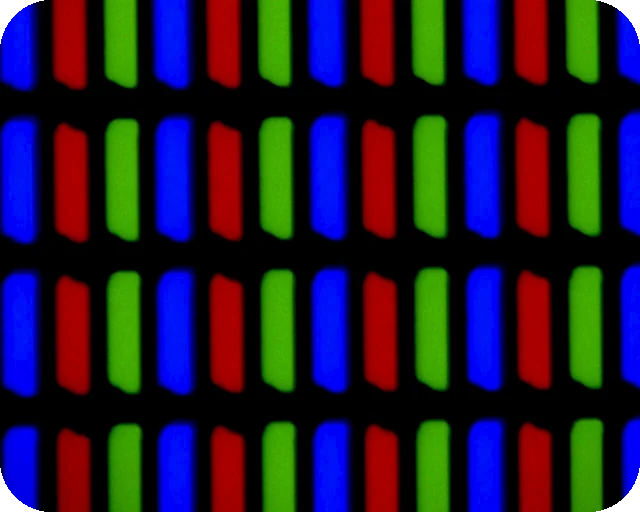 Dead pixel testFull screen colours to spot dead and stuck pixels
 Black screenA full black screen, one clickWhite screenA full white screen, one click
 Refresh rate testYour monitor Hz, measured in the browser
 What is my screen resolutionScreen resolution, browser window size and pixel ratioMonitor size calculatorScreen size in inches, PPI and aspect ratio