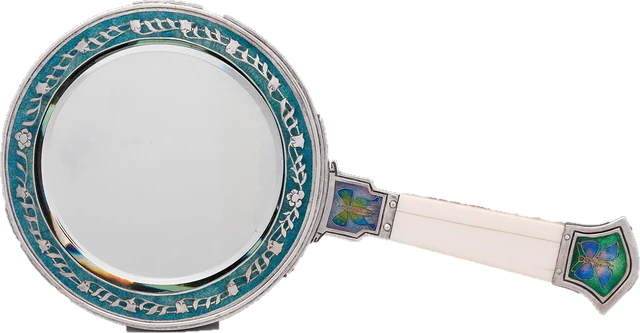
This online mirror turns your webcam or phone camera into a mirror in the browser. Press Start mirror, allow the camera, and you see yourself as in a normal mirror. Switch to True view and the picture flips the other way: that is the true mirror view, how other people and photos see you. You can zoom in for make-up or a close look, put a white ring light around the picture to light your face, freeze the frame, go full screen, and save a photo. It works as a webcam mirror on a laptop, a mirror on your phone, and a quick check of how you look before a video call. Nothing is recorded or uploaded, the camera starts only when you press the button, and it turns off when you leave the page. The page also explains why you look different in the mirror and in photos, and why a selfie camera changes your face.
How does an online mirror work?
The page asks your browser for the camera with the getUserMedia API and shows the live picture in a video element on the page. A camera sees you the way another person facing you would: your right hand is on the left of the picture. A mirror shows the opposite. So for Mirror view the page flips the picture left to right, which is what video call apps also do for your own preview. True view leaves it unflipped. Zoom, brightness and the ring light are done in the browser with the picture you already have; nothing is sent anywhere.
Worked example: zooming in for make-up
Your laptop webcam sends 1920 x 1080 pixels. You set the zoom to 2x to see your eyes more closely. The page now shows the middle quarter of the picture enlarged, which is 960 x 540 real camera pixels stretched to fill the view. That is why a digital zoom looks softer: past about 2x, moving closer to the camera gives a sharper picture than zooming. The chart shows how many real pixels are left at each zoom for common cameras.
| Camera | 1x | 1.5x | 2x | 3x |
|---|---|---|---|---|
| 720p | 1280 x 720 | 853 x 480 | 640 x 360 | 427 x 240 |
| 1080p | 1920 x 1080 | 1280 x 720 | 960 x 540 | 640 x 360 |
| 4K | 3840 x 2160 | 2560 x 1440 | 1920 x 1080 | 1280 x 720 |
How to use the online mirror: step by step
Step 1: Press Start mirror
Your browser asks for permission to use the camera. Allow it. The camera only starts when you press the button, and nothing is recorded.
Step 2: Choose Mirror or True view
Mirror shows you flipped, the way a bathroom mirror does. True view shows you the right way round, the way other people and photos see you.
Step 3: Adjust zoom and light
Zoom in for make-up or a close look. Turn on the ring light to put a white glowing frame around the picture; in a dark room, raise your screen brightness too.
Step 4: Freeze or take a photo
Freeze holds the current frame so you can look closely. Photo saves a PNG of what you see, on your device only.
Step 5: Stop the camera
Press Stop, or just leave the page or switch tabs: the camera turns off by itself.
Online true mirror: how do others see me?
A normal mirror reverses left and right: raise your right hand and the person in the mirror raises the hand on your right side of the glass. Everyone else sees you without that flip. A true mirror, also called a non-reversing mirror, uses two mirrors joined at a right angle so the image is flipped twice and comes out the right way round. The True view button does the same with the camera: it shows you exactly as a person facing you, or a photo of you, would. Your parting, a mole, a lopsided smile or a tilted fringe all appear on the other side.
Mirror vs camera: why do I look different?
Almost nobody's face is perfectly symmetrical, so the mirror version and the true version of your face really are different pictures. You have seen the mirror version every day of your life, and people tend to like what they see most often (the mere-exposure effect). A classic 1977 study by Mita, Dermer and Knight showed this directly: people preferred their own mirror image, while their friends preferred the true image, the one they were used to. So when a photo or the True view looks "off" to you, that is familiarity, not a bad picture.
The selfie effect
A phone or webcam held close also changes your face. At a short distance the nose is much closer to the lens than the ears, so it looks bigger and the ears smaller. A mathematical model published in JAMA Facial Plastic Surgery in 2018 found that a selfie taken from about 30 cm (12 inches) makes the base of the nose look about 30% wider than a photo from 1.5 m (5 feet). For a natural look, hold the phone at arm's length or sit back from the webcam and use a little zoom instead.
Webcam mirror: check your look before a video call
Use the online mirror as a webcam mirror a minute before a call: check your hair, what is behind you, and the light on your face. Video call apps flip your own preview like a mirror, but the other people see the true view, so a sign or text behind you reads correctly for them even if it looks backwards to you. For light, turn on the ring light here or use our full screen ring light on a second screen. To check the camera itself (resolution and real frame rate), use the webcam test.
Online mirror with light
The Ring light setting puts a glowing white frame around the picture: Soft uses about 6% of the screen's shorter side, Bright about 12%. A bright screen near your face works as a soft light, filling in shadows under the eyes and evening out skin tone. It helps most in a dim room, with the screen brightness turned up and the mirror in full screen. The Brightness slider under More options brightens the picture itself from 60% to 160%, but it cannot create detail the camera did not capture, so real light on your face always looks better.
Mirror for make-up and close-ups
For make-up, face a window or a lamp, turn on the ring light, and zoom to 1.5x or 2x. Freeze holds a frame so you can look closely without moving. Use True view at the end to check that both sides look even the way others will see them. A good mirror still beats a webcam for fine detail; this is handy when you do not have one nearby.
Mirror on your phone, iPhone or Android
On a phone, the front camera is used by default. Open this page in Safari, Chrome or Samsung Internet, press Start mirror and allow the camera. Phones often have a better front camera than laptops, so the picture is sharper. iPhone Safari cannot put a page into true full screen, so Full screen fills the browser window instead; turn the phone sideways for a wider view.
Is the online mirror private and safe?
Yes. The camera picture goes from your camera into this page and stays in your browser. There is no recording, no upload and no account. A photo is created only when you press Photo, and it stays in your browser's memory until you press Save photo. The camera stops when you press Stop, close the page, or switch to another tab. Your browser shows its own camera indicator while it is on, and you can withdraw the permission in the site settings at any time.
Why we built this online mirror
Many online mirror pages are part of a video editing or recording service, ask you to sign up, or show the picture only one way round, without saying which way. People looking for a mirror online usually want something simple: see themselves quickly, check how others see them, and fix the light.
Nitin Raja, who builds this site, tested a lot of these pages before building this one, and kept what people need: a clear Mirror and True view switch, zoom, a ring light frame, freeze, full screen and a photo you can save, with the camera off until you ask for it and nothing uploaded.
What this online mirror does
- Camera: asks for the front camera at up to 1920 x 1080 when you press Start; under More options you can pick another camera. No microphone.
- Mirror view: flips the picture left to right in the browser. True view: shows it as the camera sees it.
- Zoom: 1x to 3x, enlarging the middle of the picture (digital zoom).
- Brightness: a 60% to 160% brightness filter on the picture.
- Ring light: a white frame drawn over the edge of the view, soft or bright.
- Freeze and Photo: copy the current frame to a canvas on this page; Photo saves a PNG with your flip, zoom and brightness.
It does not measure your camera: for resolution and frame rate, use the webcam test. Sources were last checked October 25, 2026.
Why this online mirror is different
- Mirror and True view side by side, clearly labelled, so you know which one you are looking at.
- Camera off until you press Start, and off again as soon as you leave or switch tabs.
- Nothing recorded or uploaded, no account, no app.
- Ring light, zoom, freeze, grid and full screen in one place.
- The why explained: the mirror effect and the selfie effect, with the studies linked.
| This online mirror | Typical online mirror page | |
|---|---|---|
| Camera starts | Only when you press Start | Often on load |
| True mirror view | Yes, one tap | Sometimes |
| Ring light | Soft and bright frame | Rarely |
| Zoom, freeze, photo | Yes, photo saved only on your device | Some |
| Account or upload | None | Some are part of a video service |
| Camera in a hidden tab | Turned off | Often keeps running |
Limits of an online mirror
- Colour and detail depend on the camera and the light. Webcams smooth skin and shift colours, especially in dim light; a real mirror in daylight shows more.
- Digital zoom loses detail, as the chart shows. Moving closer is sharper than zooming past 2x.
- A camera close to your face distorts it (the selfie effect). Sit back for a natural view.
- There is a small delay, usually a fraction of a second, so fast movements lag behind a real mirror.
- The photo is the camera's picture with your settings, not a screenshot of the page, so the ring light frame is not in it.
Sources
Checked on October 25, 2026:
- Mita, Dermer and Knight (1977): Reversed facial images and the mere-exposure hypothesis, Journal of Personality and Social Psychology
- Ward and others (2018): Nasal distortion in short-distance photographs, the selfie effect, JAMA Facial Plastic Surgery
- MDN Web Docs: MediaDevices.getUserMedia()
- MDN Web Docs: Fullscreen API
- Wikipedia: Mere-exposure effect
- Wikipedia: Non-reversing mirror
Online mirror FAQ
Is there a mirror online?
Yes, this page. Press Start mirror and allow the camera: your webcam or front camera shows you like a mirror. It works on laptops, phones and tablets with no app, and nothing is recorded or uploaded.
How do others see me compared with the mirror?
Other people see you the right way round, not flipped as in a mirror. Switch to True view to see that. Because you are used to your mirror image, the true view often looks slightly odd to you, even though it is how everyone else sees you.
Why do I look different in the mirror and in photos?
Two reasons. Photos are not flipped, so you see the less familiar side of your face; studies show people prefer the version of their face they see most, which for you is the mirror image. And a camera held close, like a selfie, distorts your face: noses look wider and ears smaller than they do from a normal distance.
Is the online mirror private?
Yes. The picture goes from your camera to this page and nowhere else. There is no recording and no upload: a photo is only created when you press Photo, and it stays on your device until you save it. Closing the tab or switching away turns the camera off.
What is a true mirror?
A true mirror (or non-reversing mirror) shows your face the right way round, the way others see it, by using two mirrors at a right angle. The True view button does the same thing with the camera image.
Can I use the online mirror on my iPhone or Android phone?
Yes. Open this page in Safari or Chrome, press Start mirror and allow the camera. The front camera is used by default; choose another camera under More options. On iPhone, Full screen fills the browser window instead of the whole screen.
Why is my mirror dark or grainy?
Webcams need light. Face a window or a lamp, turn on the ring light and raise your screen brightness. The Brightness slider brightens the picture, but it cannot add detail the camera did not capture.
Related tools
 Webcam testResolution, real frame rate and a snapshotRing lightScreen light for video calls and selfiesCamera and mic testWebcam and microphone together, with a 5 second test clip
 Mic testLevel, clipping, noise floor and a playback check
 White screenA full white screen, one click
 Touch screen testMulti touch points and dead spots on phones and tablets