How to set up the broken screen prank
- Choose a background. The fake desktop works on most laptops. Black looks like a phone or TV that died after a drop. Pick a colour to match a wallpaper.
- Press Go full screen on the computer you want to prank, then leave it alone.
- When your friend clicks or taps anything, the glass cracks right under their finger with a crunch. A second click makes a second impact.
- Want it broken from the start? Tick Start already cracked and a crack appears a moment after the screen fills.
- Press Esc, or tap the top right corner, to make it all disappear.
For the strongest reaction, set the volume to medium and tick LCD damage. Real broken panels often leak black ink near the hit and show thin coloured glitch lines, and most people know that look from a dropped phone.
Fun ideas
Put it on a tablet and leave it face up on a desk next to a dropped pen. Run it on an office TV before a meeting starts. Use it in a video when a character slams a laptop shut. On April Fools' Day, a cracked screen on a shared computer gets a laugh in seconds, and the reveal is instant because a single key press clears it.
Every crack is generated on the spot from random rays, rings and shards, so you can hit the same place twice and get a different pattern. It also redraws sharply at any resolution, from an HD laptop screen to a 4K TV.
A cracked lock screen
Want the phone to look broken even when it is locked? Crack the screen here with the black background, take a screenshot, crop it to the screen, and set the image as your lock screen wallpaper. It is only a still pic, so it will not crack again when tapped, but on a phone left face down on a table it does the job.
Why it looks real
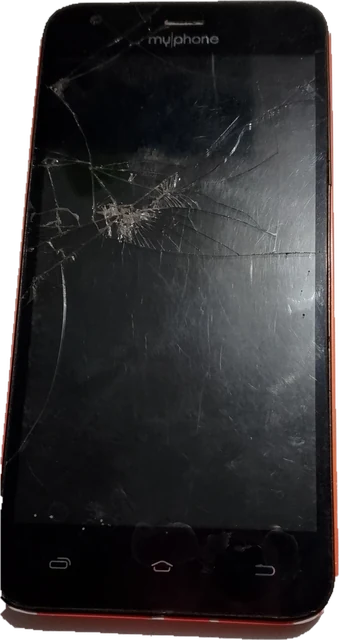
Real glass breaks in a recognisable way: long cracks run out from the point of impact, shorter rings join them like a spider web, and the glass right at the hit is crushed into tiny bright pieces. The drawing copies all three, adds a dark shadow inside each crack and a light edge where it catches the light, and makes the cracks thinner as they travel. Over the fake desktop, the cracks cross the window and the taskbar, which is what sells it.
That is the difference between a realistic broken screen prank and a cracked screen wallpaper, a set of images or a GIF. A picture shows the same crack in the same place every time. Here the crack appears in full screen, right where the person touches, like real glass would.
As a screen break
A cracked screen on a spare monitor says "not now" without a word, and it is a lot funnier than a sticky note. If you would rather show something calm, the black screen is the plain version.
Keep it kind
Pick your audience. Someone who just paid for a new phone, or who is about to give a presentation, may not find a broken screen funny. Reveal the joke quickly. And never use a fake broken screen, or any prank screen, to get money or passwords out of anyone: a real repair shop does not take payment through a pop-up on your display.
More prank screens
Try the fake update screen, the fake blue screen of death, the hacker typer, or the AI agent screen for a desk that looks busy all day.
Questions
How does the broken screen prank work?
Go full screen, and every click or tap draws a cracked glass effect at that spot, with a short breaking glass sound. Each crack is drawn fresh, so no two look the same. You can start on a fake desktop, a black screen or any colour you pick.
How do I exit the cracked screen?
Press Esc. On a phone or a touch screen, tap the top right corner: a small X button sits there, nearly invisible until you hover over it or tap it.
Is it safe? Does it do anything to my PC or phone?
It is completely harmless. It is a web page that draws lines on top of a picture. It does not touch your screen, your files or your settings, and closing the tab removes everything.
Can I turn the crack sound off?
Yes. Untick "Crack sound" under the screen. The sound is made in your browser when you click, there is no audio file to download. If you hear nothing, check that the tab is not muted.
What is the LCD bleed option?
A real broken LCD often shows black ink patches near the hit and thin coloured lines down the panel. Tick "LCD damage" to add both. They are drawn once and stay still, so nothing flickers.
Does it work on a phone or tablet?
Yes. Tap to crack. iPhones do not allow full screen for web pages, so the effect fills the browser window instead. Turn the phone sideways and hide the address bar for the most convincing look.
Is there a broken screen prank app?
You do not need one. This is a website, so it runs online in any browser, such as Google Chrome or Safari, on Android phones like a Samsung Galaxy, on an iPhone, an iPad, a Chromebook or a Windows 10 or 11 PC, with nothing to install. Be careful with "mod apk" or "premium apk" downloads of prank apps from unknown sites, which are a common way to spread malware.
How do I put the broken screen prank on a TV?
Open this page in the smart TV's web browser, or connect a laptop with an HDMI cable, or cast a Chrome tab to the TV. Choose the black background, tick Start already cracked and LCD damage, then press Go full screen. With a remote or a keyboard, Enter or Space adds another crack.